 dtc
dtcdata secured

 Imgonnatrythis
First thing I install on a windows puter is “Everything” app by Voidtools. I don’t know how windows users can find anything at all without it. It’s a must.
How do you save stuff without knowing where you’re saving it? Genuinely curious, as I really don’t understand what this meme is referring to.
Almost all software that I use, ask about the target location and/or filename when you save it. There’s also some software with default saving location, but it’s usually quite easy to find out from i.e. settings or some other part of the interface.
Also - saving stuff to unknown folders is related to the software not being clear about the target folder, I don’t really know why people would blame Windows for the software being unclear. Unless we’re talking about something specific to Windows which I’m just not familiar with. :D
Once upon a time windows had absolute pathing. When you saved, it went in the directory you were in out where you told it.
Some time ago windows went to path relative to user. So now when you save to ‘desktop’ it could be one of several desktop folders. Windows tries to hide this by mapping ‘desktop’ to your user relative desktop, but it does this at the application level rather than in the base O/S. (Or, it does it on extended file system APIs). Some apps handle it, some apps don’t. If you have multiple users on a PC, is a mess.
It gets further complicated by things like OneDrive. My mom was surprised a few weeks ago by how much stuff was being saved to the cloud instead of in a local folder, because Windows doesn’t make it particularly obvious when one is in the local Documents, or the OneDrive Documents
Thanks for sharing! This tool is a real game changer for me.
I confirm that it’s a tool that I use a thousand times every day, it’s free and good. Install it right now!
Now that is an everything app I can get behind.
 Lev_Astov
My second install after Firefox. Did you know there is a beta version with dark mode?
www.voidtools.com/forum/viewtopic.php?f=12&t=…
I feel this way about iOS.
Mobile in general. At one point, I tried setting up Syncthing to be able to manage files remotely for vlc, but android wouldn’t let the two programs access the same space with read/write permissions.
Last week, I was trying to convert a video and the program wouldn’t tell me where it was even saving the file to.
I have limited experience of Android. I appreciate this as it gives me a heads up for my work phone.
I think it varies from manufacturer to manufacturer. I have a Samsung because it’s what my carrier sent me when my other phone died under warranty. I heard those are worse for things like this. At least most of my troubleshooting seemed to hit wall because of that. I intend to get a GrapheneOS compatible phone next.
And android
 𝔼𝕩𝕦𝕤𝕚𝕒
I don’t understand. On Android I can just open the file manager and “last downloaded object” is at the top of the list no matter where it went, letting me “open file location”
It’s a thing on my Fold and I know it was a thing on my Pixel 2 and 3 as well. Maybe just these 2 brands?
 NoStressyJessie
The one that bugs me is that they don’t have a “Home” link by default on the explorer sidebar. When I first install windows I add it, but when I have to help someone else for some reason and have to go to the home directory the easiest way to do it is to go through “This PC”>C:>Users>[Name] then try to find what they are looking for. Why not just open that location at default instead of the nebulous “everything you’ve ever used or interacted with”? Half the time it’s full of garbage or one off files they have no interest in reviewing but are too afraid to delete.
Better yet, why not auto sort web downloads based on file extensions to their relevant home folder? I had that setup on a Linux box for a minute and I legit miss it.
The thing that bugs me is how the sidebar is basically gimped by default. A couple tick boxes in the Folder Options and it will always open to the folder you’re in, then you can jump through the tree of folders without just going up and down branches. They simplify it so much that it becomes less practical.
They simplify it so much it becomes less practical.
Yeah. My habit and instinct as someone who understands file trees is to open somewhere like Downloads then use the go up one directory button to home, but windows doesn’t want to do that, it basically acts as a back button in that instance and dumps you back to the recents window.
I feel like I’ll never have the perfect setup because I’m too opinionated to want to deal with windows, and have too many niche games and software that were coded like shit to run well in wine or proton (like Kingdom Hearts 1+2 on PC that switches renderer for video cutscenes and break the compatibility layer. Who wants to play a Disney JRPG without the cutscenes and videos?).
How does everyone sort their files anyway? I remember a few years ago it used to be really easy to find the newest Download file but now it seems like for no rhyme or reason some files go to the bottom of my folder (but not the VERY bottom!) and I’m stuck there sucking my thumb wondering if I actually downloaded it or not. I try setting it to “last updated/last modified” but that makes it just as confusing with different file extensions.
I keep a place for everything, and everything in its place. My download folder is cleaned regularly, usually right when I download the file I move it to it’s appropriate place. Sometimes it still fills up with old installers or what have you, if it is a hard to get installer like for old devices, old games, or niche hardware I store it in a safe place on my encrypted cloud, otherwise if it is new software or frequently updated I just delete it after I’m done.
dont need to worry just ask the NSA where your files are
 mikyopii
Microsoft Outlook puts attachments that you open in some insane temporary folder. That’s fine for viewing a file but god forbid you save without changing the full path.
Also it deletes calendar invites once accepted. People put other stuff in those emails! Like meeting links and stuff. Why would you delete that???
 ChaoticNeutralCzech
At my school, some people would not accept invites for this reason. Very annoying but less so than being forced to use Microsoft products.
Those meeting invites get deleted but the content should still be on the actual scheduled meeting if you open it from the calendar.
Untick the option in settings
You can do that??
Thank you so much!
Fun fact, you can immediately go to that temp folder by typing in “%temp%” into the search bar.
 SloganLessons
Default save folder is Documents
Sometimes it’s the last folder you saved to. Sometimes it’s OneDrive. Word these days really likes to push you to OneDrive or other MS services, it takes effort to save where you want.
It’s the last folder you saved to if you’re still using the office app after saving the last file, otherwise it will fall back to Documents.
ok, but which documents folder, and where actually is it?
Because if you have onedrive installed then that does not sync your documents folder. It syncs its own folder that it puts god knows where. And then does its best to have explorer open its folder instead of your documents folder. Which does not always work. So sometimes you get an app that actually opens “c:/users/username/documents” and it’ll be empty
If you have the option to sync documents folder with onedrive, its the same one.
If you don’t, I’m assuming the autosave with cloud enabled will save it in a different documents folder inside onedrive folder. This onedrive folder is by default in your user folder, but you should quick access to it in the list of folder on the left of the explorer window, or by double clicking on the onedrive icon in the taskbar.
The only time it can be tricky to locate these files is when the app closes unexpectedly (for whatever reason), and you have to try to locate the .tmp file in the appdata.
Otherwise, the only chance your file is somewhere else is if you edit an existing file or if you save it in another location by mistake. This is easily solved by checking the latest saved files.
It’s not as tricky as you’re trying to make it out to be
The only way I can get to my actual, local, documents folder is to go directly through my home folder.
and the only way to get to that is through c:/users, because microsoft keep doing their best to hide that a home folder exists.
I’m not speculating. this is what happens on the machine I use daily
The local documents folder is always by default in the list of pinned folders, the ones I mentioned in the last reply. On the left side of the explorer.
In alternative, you can go to your users folder and create a shortcut in your desktop, or another location of your choice; create a shortcut for each subfolder of your choice in your desktop, or another location of your choice; or pin them in the list mentioned previously. Customize your machine to your personal preference.
I’m also speaking from personal experience, I work with Excel almost daily. Perhaps try to understand how you have your onedrive configured. Or if you don’t use it, just uninstall it and/or don’t use the autosave with cloud feature
I know it is always there by default, unless you install onedrive. Then that same button gets repurposed and it doesn’t point to your local documents directory anymore. You don’t get two documents shortcuts. like you, I also use my computer daily. that’s nothing special. most people do
It doesn’t point you to a different folder, it’s the same directory as the local Documents.
What I suggested is that you could create your own shortcuts that fit better your needs, I didn’t say it would create two documents shortcuts. I’m not sure what you are talking about.
And hey, I was trying to give you tips on how things actually work. If you want to be antagonistic, fine, I’ll shut up then 🤐
Have a good one
It is not. if it were, they’d both contain the same files. they do not. so they’re not.
They’d also have the same directory path. They do not. Going to those two different paths gives you a different set of files.
I just scanned the files in both directories. the files in them are physically on different spots on the filesystem, at the cluster level.
They are not the same directory. I don’t know what to tell you.
C:\users{user}\documents is the windows default
Onedrivechanges it to C:\users{user}\onedrive\documents
Not always.
 Talaraine
Now we get the one drive bullshit that means your desktop can be in multiple locations
 Waldowal
This is Mac for me. 14 things I can click on the left of the file explorer that show me the same exact files… sometimes in a different order.
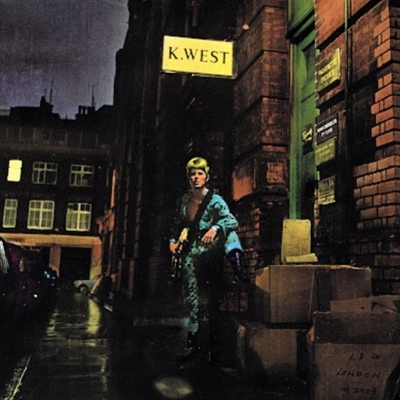 starman
More like android
 callyral
Android is even worse, it's like if a Linux file system was constantly about to die but was kept alive by increasingly worse means
 BecomingTheFalcon
Windows is the only operating system I’ve used that I’ve never had this problem with before.
 Bantha
I hate this meme. It’s downloads/documents or wherever you saved the document the first time. And you chose that location.
It’s downloads/documents
Lies, it’s always Sharepoint or OneDrive, you have to fight with Office if you want to save it locally. And it’s been like this for the past 10 years.
 R0cket_M00se
By “fight with office” do you mean “select the place you want it to go?”
The hell version of Windows are you using?
Windows 13. “Lucky for some!”
Google drive does this even more, and every month or so they make the ‘show file location’ harder to find
 at_an_angle
Good forbid you archive an email with Gmail.
I miss outlook.
Noticed that in the last few years, Google has really been taking the back seat to open source and other products.
Not even from a privacy standpoint, they are just getting objectively better than the billion dollar company products.
The effects of late stage capitalism on software: it’s expensive and terrible. If those billions were invested purely in quality rather than bloat we could have… Well, who knows. Better spreadsheets I guess.
I learned last week that you can set up Thunderbird with Gmail and run it almost exactly like outlook, with rules and folders and all. Cut down about 3000+ emails I’d been too lazy to delete or sort on my own to zero with a few rules and folders. 10/10, highly recommend.
 rockhandle
Gdrive is an awful mess. I deleted a folder containing some 5000 files once and it deleted only the folder, not the 5000 files within 🤦
It’s still cluttered with all of them.
 FARTYSHARTBLAST
appdata go brrrrrrrt