Last year I had Docker briefly running on my Win10 machine, just long enough to verify it was working, then today I ran it and it said it can't run because of my BIOS settings. Is this surprising? Does this imply I changed my BIOS, possibly by accident, sometime in the last nine months? If I changed out my boot disk, might that have reset some BIOS settings?
Follow up question: In my testing, it appeared that Docker Desktop for Windows reserved 2GB of RAM for each of its virtual machines (seemingly due to something about how WSL works). It was not 100% clear to me if this reserved RAM block could be swapped out but I assume not. Do Docker Desktop on Mac and Linux have a similar issue (IE that each VM hardwire-reserves a fixed amount of RAM regardless of how much it is using at any one moment?)
@mcc On Mac and windows it has to run a Linux vm that the containers end up running in, which means it has to reserve memory for the vm. On Linux the containers are just fancy processes running in different namespaces, so there should be none of that overhead on Linux.
@treid @mcc (strictly, it doesn't /need/ to reserve any significant amount of memory, since a correctly-configured hypervisor/linux-guest pair can allocate and free host memory on demand, as demonstrated in
https://hocus.dev/blog/qemu-vs-firecracker/#qemu-is-not-perfect-though. of course, this would require docker/win32 to configure the hypervisor and guest correctly, which it clearly isn't)
Why We Replaced Firecracker with QEMU | Hocus Blog
Firecracker is not the best choice for all kinds of workloads.
 mcc
mcc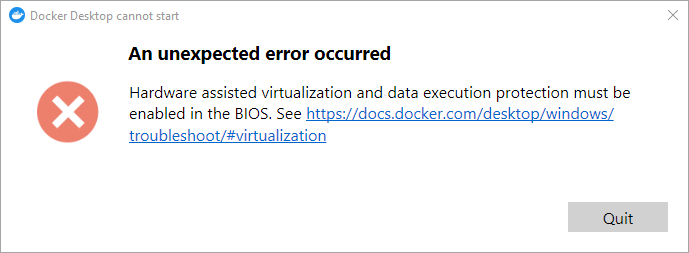
 TylerReid
 наб
наб