For new Mastodon users, you likely aren't seeing art and photos fully. Most instances crop images by default, and if you don't want to have to click on images to see them fully, you need to turn off the setting.

Turning off the setting makes the Mastodon experience better.

Go to your settings. Find Post Layout. Uncheck the box next to "Crop images in non-expanded posts to 16x9." Enjoy art and photos fully.


#MastoArt #photography

@bryanhansel Can you get Gifs to play without clicking on them?

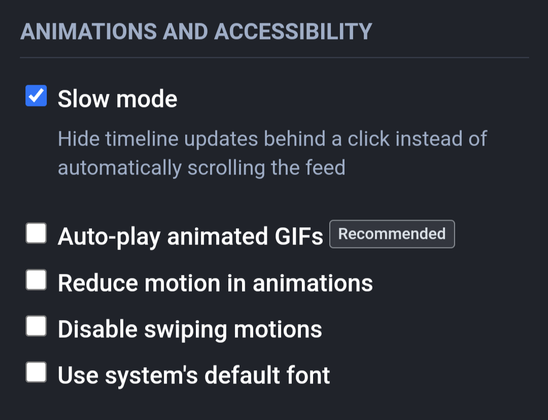
@BengalBrian yep. Find the

ANIMATIONS AND ACCESSIBILITY

Auto-play animated GIFs

Checkbox

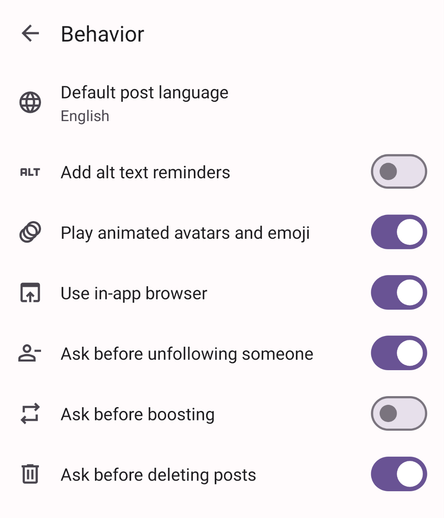
@bryanhansel Option is on, but it doesn't work.
@BengalBrian best to ask your admin to look into it. It could also be the app. If it's the app, report it as a bug or feature request.
@bryanhansel Dunno how to ask Admin. I have just done an update on Playstore, so using current version.
@BengalBrian are you using the official Android app? It kinda sucks. I just let Chrome install the Web version as an app, and it's much better than the official Android app. There are other full featured apps available as well. I've been meaning to try Fedilab.
@bryanhansel Yeah... Am flipping between the Android App and Tusky.
@BengalBrian try installing Mastodon as an app from your Chrome web browser. That might fix the issue for you.
@bryanhansel I don't like downloading Apps from Chrome due to security risks.
@BengalBrian it basically just creates a single chrome tab of Mastodon that acts like an app.
@bryanhansel cheers for your help bro. I will figure it all out. Still getting used to the platform. Will take a bit of time to find all my Twitter people.
@BengalBrian @bryanhansel I heard Tusky was good for hash tags ? The official Android app does seem a bit meh