 Chris Linstid
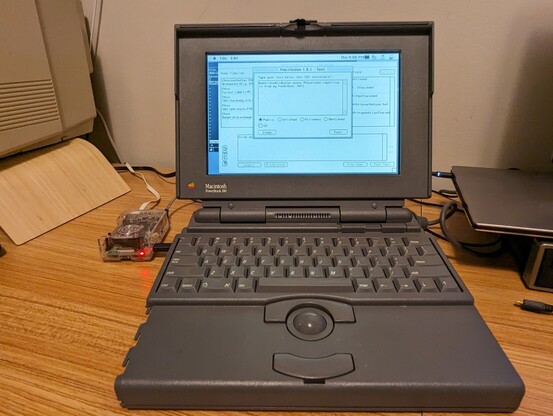
@smallsco #Macstodon reporting in from my PowerBook 180!
 Scott Small 🇨🇦
@clinstid Awesome! There hasn’t been any #Macstodon content in a while so I’d glad to see that people are still enjoying the app!
@smallsco thanks for building it! I had to do some pretty wild stuff to get it working. The PowerBook only has 8 MB of RAM so I had to push the virtual memory up to 32 MB to be able to run both Macstodon and Netscape at the same time. That didn't work for the oauth flow though because Netscape didn't support submitting the login form (I tried with iCab but it started loading megabytes of css and js). I ended up telnetting to my Pi to save the URL to a file and used a modern browser
@clinstid It’s weird that you had trouble with iCab - that’s what I use for testing the auth flow, and it works just fine here - but perhaps it depends on the instance.
Also, you can get Macstodon to work in as little as 1.5 MB of RAM, if you disable avatars/images and keep the number of toots to load low.