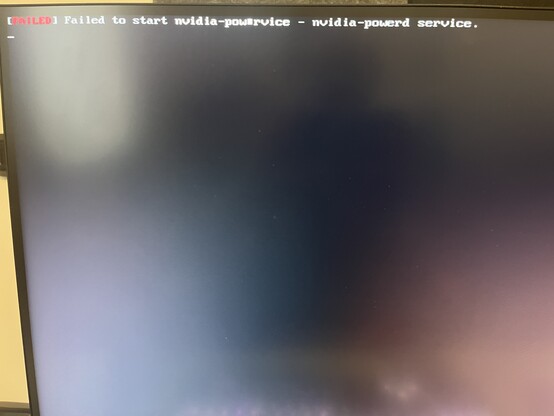
I sure do love NVIDIA drivers
@gamingonlinux It has nvidia-powerd.srvc so I assume this is a laptop? I am having issues on mine too. It either doesn't work or gives weird wattages which makes fps unstable. I have disabled it for now.
@io_srvc no, desktop
@gamingonlinux why do you have it enabled then? ><, isn't nvidia-powerd.srvc for dynamic boost on optimus laptops?
@io_srvc 🤷‍♂️ i followed all the normal Fedora instructions for nvidia and i guess that comes with it

@gamingonlinux Did you use rpmfusion or the .run file from nvidia? Also disable the service since you don't need it.

I used this script for installing nvidia stuff on fedora

https://github.com/t0xic0der/nvidia-auto-installer-for-fedora-linux

Fedora was giving me issues after 6.2.11 kernel (constant freezes) so I'm no longer using it.

GitHub - t0xic0der/nvidia-auto-installer-for-fedora-linux: A CLI tool which lets you install proprietary NVIDIA drivers and much more easily on Fedora Linux (32 or above and Rawhide)

A CLI tool which lets you install proprietary NVIDIA drivers and much more easily on Fedora Linux (32 or above and Rawhide) - GitHub - t0xic0der/nvidia-auto-installer-for-fedora-linux: A CLI tool w...

GitHub
@io_srvc rpmfusion
@gamingonlinux Ah nvidia-powerd.srvc does come with that. Not a big issue as like I said you can disable it since you aren't even using it.
@io_srvc hmmm best way to disable?

@gamingonlinux

sudo systemctl stop nvidia-powerd.service

sudo systemctl disable nvidia-powerd.service