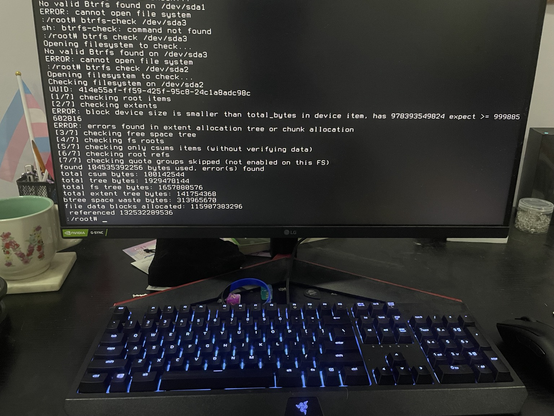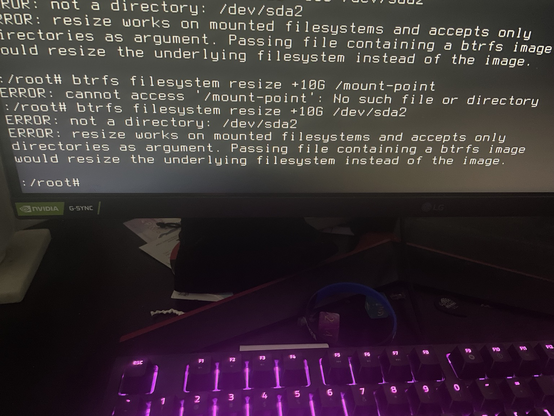
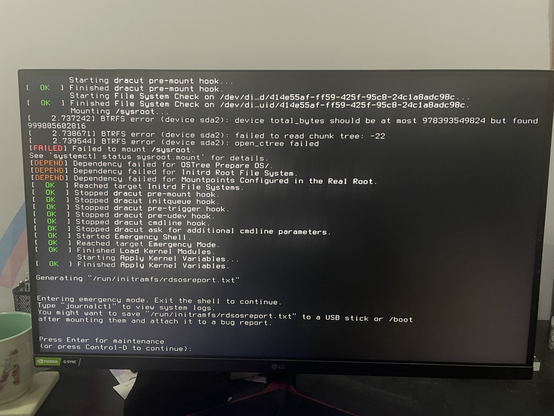
I restart my computer after working on lfs and I went into recovery mode and its giving me this. The Arch wiki isn’t really helping
#linux #programming

@Purd disk failure. You might try 'fsck' from the maintenance shell.
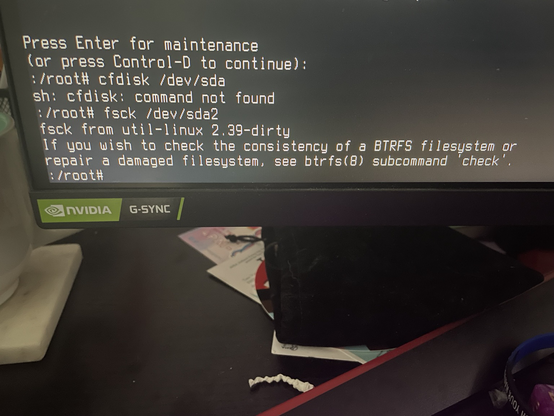
@starlily it prints “fsck from util-linux 2.39-dirty”
@starlily okay now I got this
@Purd @starlily Sorry if you already tried this but did you do “fsck /dev/sda2”?
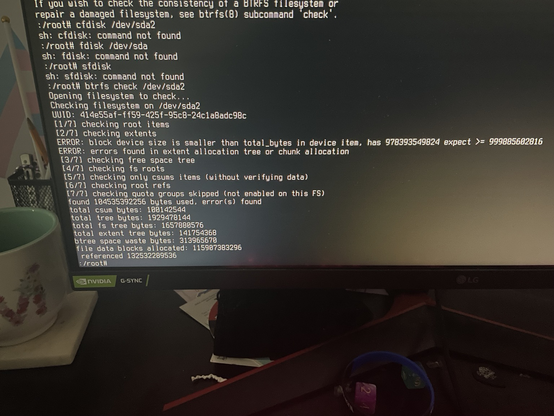
@nanobot567 @starlily yea it gives me this
@Purd @starlily Does the command “btrfs check” work?
@Purd After looking at the documentation @starlily mentioned there is a “—repair” argument although it does say it’s not always able to fix the problem. (And from experience sometimes it makes the problem worse)
@nanobot567 @Purd Worth a try, what have you got to lose?
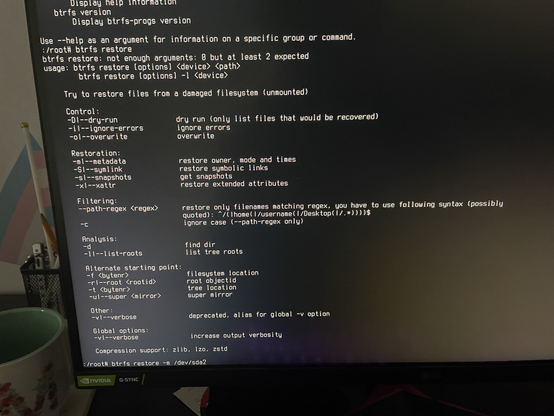
@nanobot567 @starlily I tried everything under restoration
@Purd @starlily Yeah I’m stumped if you tried everything there… maybe try a reboot?
@Purd @starlily Maybe give “btrfs check —repair” one more shot?
@Purd @nanobot567 Do what it says. Read the man page, but you probably want to do 'btrfs-check'. https://btrfs.readthedocs.io/en/latest/btrfs-check.html
btrfs-check(8) — BTRFS documentation

@Purd It failed to mount your root filesystem. What does LFS mean in this context? Linux From Scratch?

What you need to do is enter the emergency shell, mount a root filesystem to /new_root (you seem to be using the "systemd" boot initramfs hooks and I use "base", and also dracut might do this different from mkinitcpio), then exit the emergency shell and systemd should continue booting.
@Purd This may not be a disk failure, you might be missing some drivers in your initramfs. Also if you have done Linux Logical Volume Manager you need the stuff for that in the initramfs too. Same for full disk encryption.

@Purd
Did you perhaps resize your root partition?
https://forum.level1techs.com/t/btrfs-unmountable-after-resizing-with-gparted/189663

Did you check if there is everything correct in your /etc/fstab file?

BTRFS unmountable after resizing with GParted

Today I resized my BTRFS partition to it’s minimum size in GParted and now it’s not mountable anymore. I have not done anything that could be destructive in any way while trying to recover the partition myself. These are the error messages I get when trying to mount: [ 4226.491943] BTRFS info (device nvme0n1p1): disk space caching is enabled [ 4226.491956] BTRFS info (device nvme0n1p1): has skinny extents [ 4226.494842] BTRFS error (device nvme0n1p1): device total_bytes should be at most 1424...

Level1Techs Forums
@Purd Looks like you resized your btrfs partition to be smaller than the underlying filesystem (you can revert if you didnt write over the end of it), or btrfs is corrupt
@wait_what_ what am I doing wrong ?
@Purd I think the issue is that the partition is smaller than the filesystem. You shouldn't be touching the filesystem now, but the partition (i.e. cfdisk /dev/sda)