Linux distro experiment time! I'm currently using Linux Mint and am fairly happy with it. Regardless, I got a new SSD and want to put something different on my aging ThinkPad. Should it be:
What I'm loving about this poll is everyone is positive and has an opinion (NixOS is getting a lot of shadow votes). "I'm using <x> but YMMV" and "I like <x> but <z> might be interesting" are surprisingly common responses. Every suggestion is appreciated.
Hm. This process is substantially more frustrating than when I last installed or updated an OS. Issues have been: a) corrupt boot image, b) you have to install from the network oh and by the way your wireless network drivers are NONFREE so have fun finding some for your 10-year-old laptop, c) unless you have been installing this OS since 1987, you will not be able to understand this installation guide - consult your VAX admin for assistance.
Maybe the problem is I'm still trying to use unetbootin to create a bootable USB stick from a Windows box. The alternatives do not fill me with faith :/
I apparently have Software QA Syndrome - any action I take results in baffling edge-case failures with no diagnostics. Opening doors, breathing, sitting quietly in a chair - in 5 seconds everything will be on fire.
I am beginning to suspect this microSD card in the cheap USB adapter. No reason, really. Fresh out of the package SD card of reputable brand and not the cheapest of the line, known good USB adapter. Maybe I've just Quick Format'ted it enough times to burn it out. I wouldn't expect a dozen runs of unetbootin to do that, but I also expected I'd be able to install _something_ by now. Debian and OpenBSD have been total failures, falling back to Linux Mint (what I started with). Nothing is installing; tried YUMI, tried unetbootin. Nothing works.
Or maybe it's this name-brand-not-cheapest-of-the-line SSD that Amazon put in a plastic bag and shipped in a cardboard box with no other packaging. Maybe Jeff needs a new yacht or spaceship so they're just putting random unvetted crap in boxes and dropkicking them onto people's doorsteps. Running a full SMART scan on the new SSD for whatever that's worth. IIRC dying drives only show SMART errors about 10% of the time so passing a SMART scan doesn't really prove anything.
SSD self-test is 30% done, no errors thus far. I'm going to pack for my f'ing trip to DC and try not to think about everything - hardware, software, institutions - everything being so goddamned broken.
I don't believe I am so old or feebleminded that I can't just download a stupid ISO image, burn it onto a USB stick, and tell my laptop to boot from the stick and install an operating system. I have been doing this since 1994. Technology has not changed substantially in a decade. For a while, installing Linux was easier, faster, and more reliable than Windows. This is not some new process for me. Somehow everything just seems shitty and broken and nobody can be trusted not to set the neighborhood on fire or not get their head stuck in a toilet. It's not "things once were better", it's "things are actively worse now and no, you can't blame this on the youngs and their avocado toast"
@danhon I turned off Secure Boot but left UEFI settings alone. I'm about to punt to a second fresh SD card and use Balena Etcher instead of unetbootin or YUMI.
This should not be such an ordeal but I say that all the time about Python.
@arclight@danhon there is hardware out there that uses UEFI that will not boot with secure boot turned off. (And may not say so.)
Post-UEFI I've bought hardware from vendors who pre-install linux (and have figured out what to do to the UEFI to get it to work) because the one time I had to try to get linux on a Windows machine it ate three days and didn't work.
Dunno if the hardware you've got was a post-UEFI windows factory install, but those are frequently excessively challenging to linux.
@arclight Have you tried the Debian-Firmware netinstall image? You can just flash it to a USB with Etcher and boot it, it has all the non free firmwares for wifi and shit.
@arclight Had this experience lately as I upgrade from 15-odd-year-old machines to newer hardware. Like you, I went with unetbootin first, only to find that modern bioses or whatever don't like it and won't tell you why. Eventually I stumbled somehow across Ventoy, which lets you put multiple images on one USB stick, and which still works, if you can find the increasingly-hidden "Just boot from the damn USB" setting in the bios.
@ifixcoinops Somehow Linux Mint is crapping out unpacking a squashfs volume but it's not clear if that's on the SSD, the USB stick, or in memory. BIOS tests show memory ok and no SMART errors so I'm at a loss to explain it. Debian installer hangs, OpenBSD can't even make a bootable USB drive. I suspect the new SSD is dodgy.
 arclight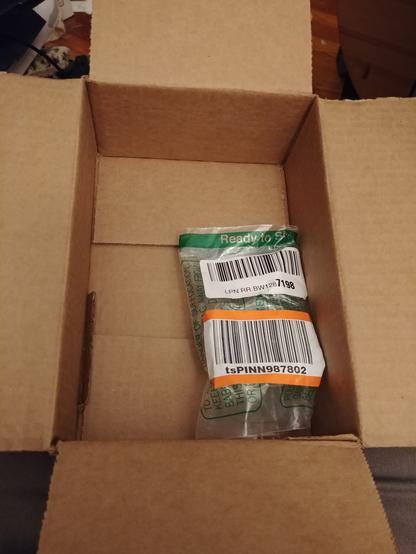
 Dan Hon
 Graydon
 Studio 8502
 Dan Moved to Retro.social