 Rua / Whitepaw &🏳️🌈🇳🇱
After recapping a dead Macintosh SE/30 at the #HomeComputerMuseum, we switched it on to see if our work had made any improvements. We were greeted with this startup screen.
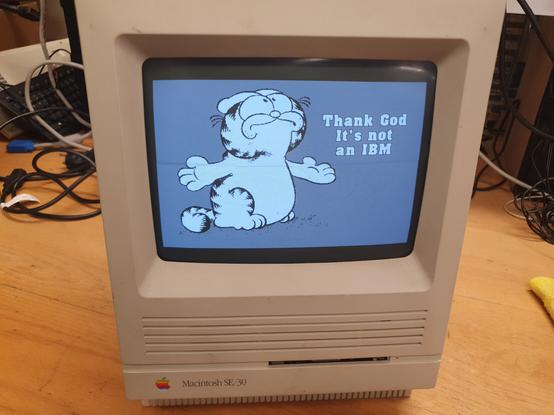
@ruawhitepaw Yeah, there will be a file located under the System Folder named “StartupScreen”. It’s a PICT file with the image data stored in the resource fork, so it will need to be converted to BinHex or MacBinary before it can be uploaded to the net in order not to destroy the resource fork (you can use a file compression program called Stuffit to do this).
https://apple.fandom.com/wiki/Mac_OS_startup_screen
https://www.macintoshrepository.org/software_search.php?s=stuffit&sid=&p=1

The Mac OS startup screen is the image displayed by a Macintosh after the Happy Mac icon that indicates bootable media with a proper System Folder has been found. The image is displayed by the operating system while it is loading from the startup disk. From the original Macintosh System Software through System 7.5, this was a white rectangle with a black border displaying the words "Welcome to Macintosh". This was updated during the Macintosh System rebranding with Mac OS 7.5.1, such that 7.5.3
 Scott Small 🇨🇦