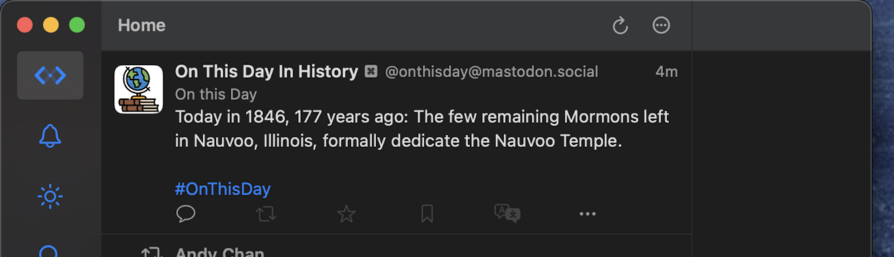
So @MonaApp is out today and immediately takes the crown for most customizable Mastodon client to date. Multiple columns on Mac and iPad, split-screen on iPhone (!), and TONS of settings you can tweak. Insta-purchase for me, with no subscription.

Our review: https://www.macstories.net/reviews/mona-a-unique-mix-of-customization-options-and-features-you-wont-find-in-any-other-mastodon-app/

Mona: A Unique Mix of Customization Options and Features You Won’t Find in Any Other Mastodon App

Mona is a brand new, highly customizable Mastodon client from Junyu Kuang, the developer of Spring, which is one of the few remaining third-party Twitter clients that still works and pioneered many of the features found in Mona. Mona, which is available on the iPhone, iPad, and Mac, is a power-user app through and through.

@viticci @MonaApp more apps should do vertical split view on iPhone
@mvo @viticci @MonaApp Speaking of split views, I just installed Mona and I’m finding it difficult to resize the window. I want the window itself to be the size in the screenshot, but the column isn't adjusting to fit that space. Seems odd considering this is my first interaction with the macOS app.
@mvo @viticci @MonaApp Would be great if the column just resized itself to fit the size of the app. I’ve heard so many good things about how Mona is so customizable.
@JPZ You could simply turn off Column View in general settings (it’s on the bottom of that page)
@MonaApp Thank you! That seems to removes the nice looking column view in Settings, too.
@MonaApp Also, Mutes don’t seem to be working on macOS or iOS. The option is there, but nothing seems to actually be muted.
@JPZ Mona Pro is required for that. There’s a 14-day free trial in settings, and it’s a one-time purchase if you decide to buy.