 Texan_Reverend
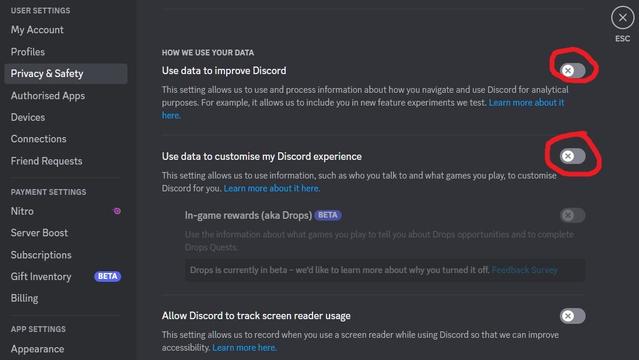
Discord is getting in on the "AI" trend with testing of new features utilizing user data scraping, potentially for training a large language model. To disable the only settings which might affect your data being utilized for this, go to the Privacy & Safety section of your Settings. From there, toggle off both "Use data to improve Discord" and "Use data to customize my Discord experience."
 JamesTDG