
Is anyone able to connect a Switch Pro controller via Bluetooth and get it recognized on https://gamepad-tester.com? I could swear I’ve done this before, but now I can’t get it to work.

edit: I made it work with a joy-con in Chrome.
Gamepad Tester

Test gamepads, controllers, joysticks, and other peripherals that use the web gamepad API. Compatible with XBox, Playstation, Switch, and many others.

So there’s still no gamepad button event, and you’re supposed to continuously check the gamepad object in a rAF loop.
@simevidas The current Gamepad API is poll-based, yes. But for Joy-Cons, you can also access them via #WebHID and listen for events: https://github.com/tomayac/joy-con-webhid.
GitHub - tomayac/joy-con-webhid: Use the Nintendo Switch Joy-Cons via the WebHID API

Use the Nintendo Switch Joy-Cons via the WebHID API - GitHub - tomayac/joy-con-webhid: Use the Nintendo Switch Joy-Cons via the WebHID API

GitHub
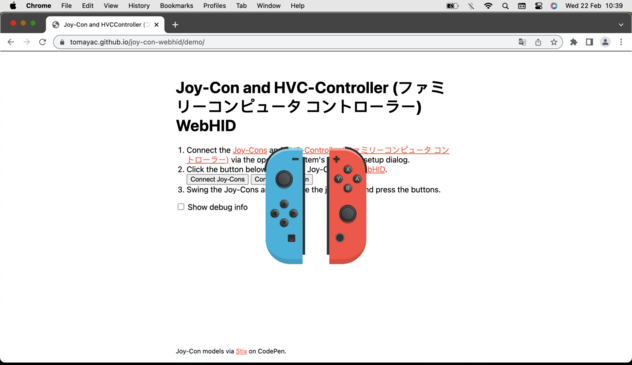
@tomayac Hm, this doesn’t seem right. The image is covering the instructions. https://tomayac.github.io/joy-con-webhid/demo/
Joy-Con and HVCController (ファミリーコンピュータ コントローラー) WebHID

@tomayac For some reason, the motion of the left controller isn’t detected, only the button presses are.
@simevidas Hmm, that's weird. Difficult to debug from a distance, too. Maybe try it with the #WebHID Explorer tool and see if there are differences: https://nondebug.github.io/webhid-explorer/.
HID Explorer

@tomayac It seems that whichever joy-con I connect first (in macOS Bluetooth settings) gets motion detection, while the second one only gets button detection. It’s like there’s some limited bandwidth, so two joy-cons cannot be fully detected at the same time.
@simevidas This vaguely rings a bell. Try updating the firmware on both Joy-Cons on your Switch. I had one user report this issue. The Joy-Con would enter something like a dumb mode where they don't expose all features.

@tomayac @simevidas This is my excuse too when I lose a game

My joycons went into dumb mode

@passle @simevidas Ah, found the bug now where I reported these issues. See this comment for what I called “dumb mode”: https://bugs.chromium.org/p/chromium/issues/detail?id=1139923#c4.
1139923 - chromium - An open-source project to help move the web forward. - Monorail

@tomayac @passle It’s such a shame that popular gamepads aren’t better supported in desktop browsers. Firefox is probably the worst offender. Gaming on the desktop web is being held back.