StreetPass is a cool new browser extension that uses Mastodon's verification system in a clever way.

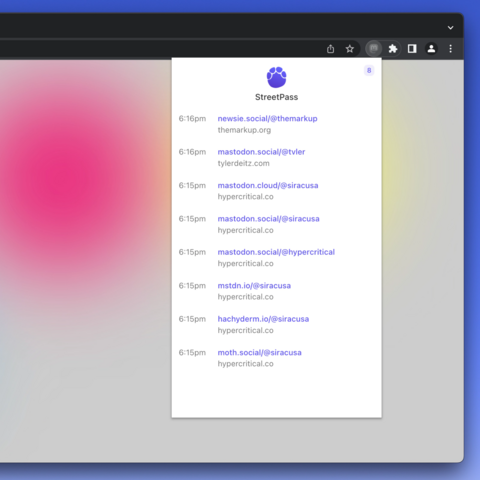
Mastodon users verify themselves by adding a custom link to their personal site. StreetPass lets you know when you've found one of these links, and adds them to your list. As you browse the web, StreetPass will build a list of Mastodon users that belong to the websites you visit.

I spoke with the creater @tvler about the project, 🧵 below.

Visit https://streetpass.social/ to try it yourself!
StreetPass for Mastodon

StreetPass: Find your people on Mastodon

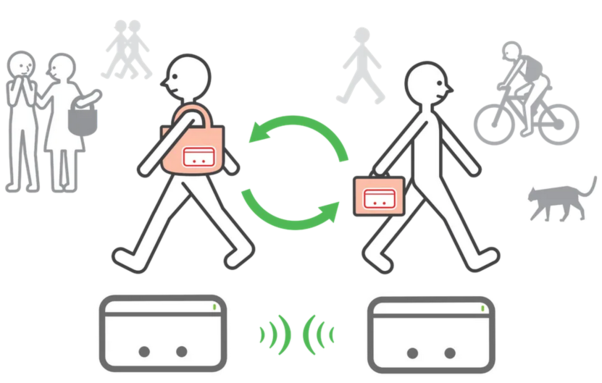
Tyler says that he is inspired by a feature with the same name: StreetPass on Nintendo 3DS. With your Nintendo 3DS you automatically find other 3DS owners you are in close physical proximity with, and share certain information.

Engadget wrote a nostalgic piece about StreetPass. Both Tyler and Endadget stress the social power that StreetPass had, allowing you to meet new people to become friends with and play together.

https://www.engadget.com/nintendo-3ds-anniversary-streetpass-150026541.html

Engadget is part of the Yahoo family of brands

StreetPass for Mastodon takes the same idea, but applies it to the web instead. Every time you visit a website, you can make a connection with the owner of that website, if the website has registered a verification on Mastodon. All websites can now suddenly become potential social connections.

The Twitter API shutdowns show the fragility of social graphs that are siloed and owned by big private companies. A small part of the solution is to move the social graph to the web itself instead.

How does the Mastodon authentification work, and how does StreetPass make use of it?

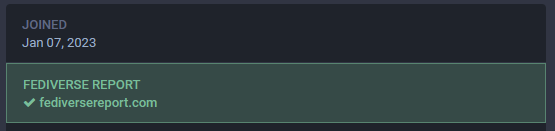
In this screenshot you see that the link to my website has a green checkmark, showing that it is verified. While you can put any link in there that you want, you only get the green checkmark if you put a short line of code on your website. This line of code contains the link to your Mastodon account. If both sides refer to each other correctly, a green check shows up.

Every time that anyone visits website that has this authentification enabled, the website sends them this small line of code that contains the Mastodon link. Normally your browser just discards this information, since it is not needed. StreetPass hooks into this system, and reads out this code. So now, everytime you visit a website that has this information, you know who's Mastodon account the website belongs to.

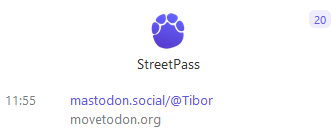
Personally StreetPass has already proven to be helpful for me on my first day of use. I was checking https://movetodon.org/ , and wanted to find out if it's owner had said anything yet about reports on my feed that the service was not available anymore.

StreetPass popped up for me, and showed who had tagged themselves as the owner of the website. With one click I ended up on his profile so I could see his latests updates on the service.

Movetodon: Finds your Twitter Friends on Mastodon

So what is next up for StreetPass? Tyler has Safari support, dark mode, and more user data (such as display name) in the works.

The project is open-source, and you can find the repository here: https://github.com/tvler/streetpass

GitHub - tvler/streetpass: Find your people on Mastodon

Find your people on Mastodon. Contribute to tvler/streetpass development by creating an account on GitHub.

GitHub

One word of warning though: due to the way the authentification system works, this browser extension needs the rights to read all traffic data. You should always be *extremely* careful when such a request is needed.

Tyler says that he has made the project completely open-source, without any tracking, as well as write the code in such a way that makes it as easy as possible to audit the data.

For other devs: auditing and commenting to check this is always appreciated!

@fediversereport that service is dead. I can’t believe it already. And it’s not even the ninth yet.
@fediversereport How effective will this be? Let us say I have placed the rel=me line in the main page of my blog. You could be reading a particular blog post & many such pages. Street pass is now any wiser & you do not know my Fediverse address. Or am I missing something?

@aswath @fediversereport I would but <link /> with rel=me in the head if it's your blog, then it's on each page.

The extension seems to need a lot of user permissions, if it starts to query pages I don't even visit, I wouldn't use it.