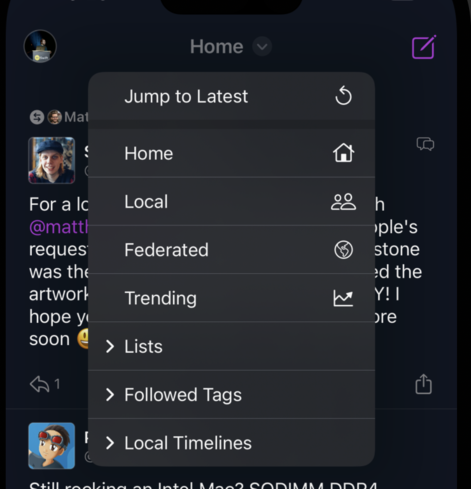
Now that I have disk cache and all that kind of stuff that can add a ton of headache to manage the app state if you didn't open it for days (like I do with @ivory ;)) I've added a fancy jump to latest button. It clear all the cache, position and just show you the new stuff in case you get stuck on ... old stuff.
@dimillian @ivory isn’t that what the count indicator will do if you tap it? I did like that button you removed.
@sanguish @ivory so it’ll be back in 1.4.0. A tap on the count will scroll to latest unread. The jump to latest just discard the whole timeline and reload the latest Toot at the top. It’s a reset buttons if you’re been away for days and don’t want to scroll up 1000 posts for example.

@dimillian I thought tapping the toolbar button did that too. (My preference is that)

You’re killing it, btw.

@sanguish you mean the status bar?
@dimillian no the timeline button. Doesn’t it do that now? If you tap on it if you’re already viewing the timeline?
@sanguish Ahh so, the timeline button also scroll to top, but imagine the app is "late" 1000 posts now, and you have to scroll up to load them etc... so the timeline button will scroll to the top of whats loaded. But if you want to reload it to the latest, there. is a menu button now.
@dimillian oh, ok. Gotcha. Thanks!