 Command Line Magic
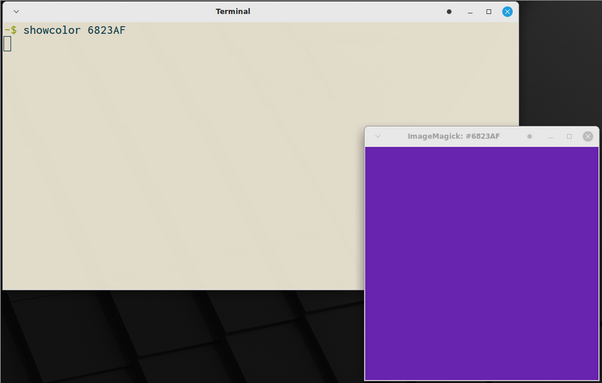
Ever want to quickly see a hex color value from the command line? Try using ImageMagick display and making a easy to use function to call it.
showcolor() { display -size 400x400 xc:"#${1}"; }
showcolor 6823AF
Ever want to quickly see a hex color value from the command line? Try using ImageMagick display and making a easy to use function to call it.
showcolor() { display -size 400x400 xc:"#${1}"; }
showcolor 6823AF
 Shiar
Shiar