Things gains automation superpowers today, with a huge update for Apple Shortcuts. We’ve also prepared a gallery with some great shortcuts for you.

Check it out: https://culturedcode.com/things/blog/

Things Blog - Cultured Code

@things super glad you guys are over here. Love the things app. Daily life changer. 🔥
This is a fantastic update if you’re into Shortcuts, lots of new potential uses. The example shortcut of shifting tagged “Work” to the next day is an instant win for me. Will need to get back on the shortcuts wagon to work out what else to do!
@things glad to see new stuff coming. Could have bet focus is on Things 4 by now instead of feature releases for 3 🙂
@things I need to check this out.
@things hey I have tried a couple and they are not working? App and and IOS up to date.
@Scaf @things same issue here unfortunately. Tried replacing the shortcut from the gallery again, but still no luck.
@oughtnot @Scaf What version of iOS are you running? Must be iOS 16 (and recommend 16.1 or later, which fixed some bugs).
@things @oughtnot Hey thanks for your response. 16.3
@Scaf @oughtnot If you’re still having trouble after a reboot, please drop us an email: http://things.email
Contact - Cultured Code

@things The new actions aren't showing up on my Mac. All up to date and restarted as well.
@philbowell Please drop us a message: http://things.email
Contact - Cultured Code

@things @Scaf restarting the device seems to have fixed it, thanks!
@things @jedmund OHHHH can’t wait to check this out!
@things This update makes me unreasonably happy.
@things great job all around from implementation to documentation and samples. You are the best ! 💪
@things It isn’t possible to use the new actions for Shortcuts, the application does not recognise them
@joseruig Are you running Things 3.17 and iOS 16? If so, perhaps try a reboot.
@things
Things 3.17: 🆗
iOS 16.3: 🆗
Reboot: 🆗
Result: Idem
@things So much love to you guys for continuing to improve Things. Thank you!
@things time to try out Things again! Game changer for me, for sure.
@things congrats for the release! Big fan (and user) since V1 here!

@things this is super cool!

Trying to set up the inbox rule scanning for todos sent by mail to things. I get an error "AppIntents.EntityPropertyQueryError 2" in the line "Is Inbox [INTENT PARAMETER]". Unfortunately, Shortcuts doesn't show more details.
@samueljohn Yeah, sadly this is a quirk in Shortcuts. If you restart Shortcuts it should go away (failing that, try a reboot). Hopefully it gets a little more stable in the future!
@things thanks for your reply. Will do so.
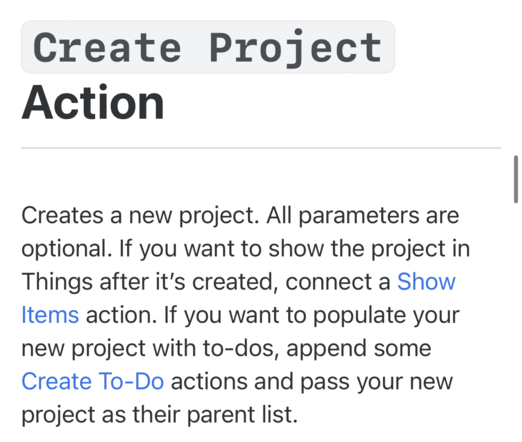
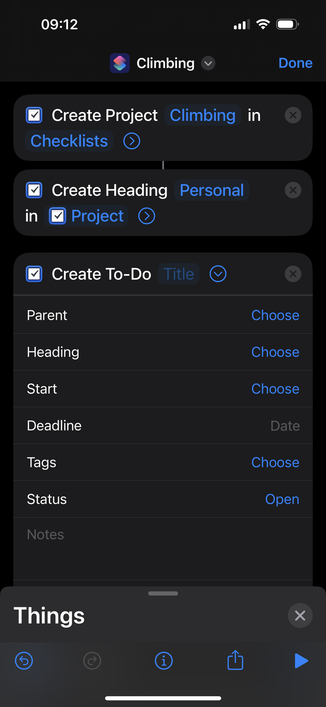
@things Creating a template for an on demand project and it seems I can’t create a to-do item and assign it to the project I am currently creating. Is that expected?
Headings can reference a variable like “Project” but to-dos must be assigned a project that already exists?
Is that expected?
Will I need to “find” the project I create by name or something and then add it?
@bjkirton Hmm, no, you should be able to target a new project directly within the shortcut on the fly. If you’re still having trouble with that drop us a line and we can try to help: http://things.email
Contact - Cultured Code

@things Done, but couldn’t attach a screenshot so it’s here.
Project has “if you want to add to-do’s” but there is no way to pass the variable I can find.
… Found it. Seems you need to use “with quick entry” option for To-do to select current project.
That is not in any of the docs, or clear from the interface.
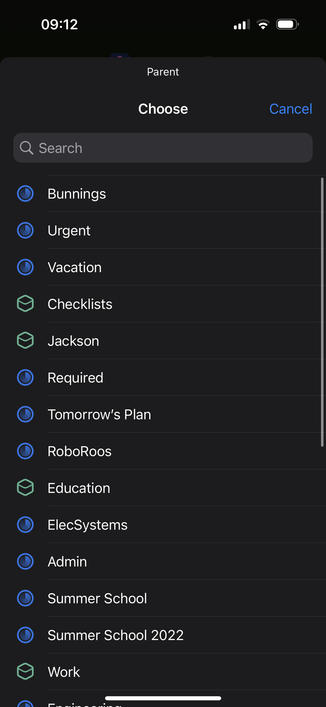
@bjkirton You should be able to right-click where it says “choose” next to Parent and pipe in the variable that way.

@things Hi 👋🏻. I love the app! I was wondering if you were planning on adding these features:

- Location based items
- Being able to invoke the quick entry menu without having the app running
- Saving Projects as templates that we can pick when creating a new project
- Shared and real time collaboration on procjects without having to share our whole things cloud account

Thanks 🙂

@8johnr8 #2 you could use Shortcuts to accomplish. Others aren’t currently planned but thanks for your feedback!
@things Yeah I played a little with the shortcuts app and was able to get the quick entry function without having the app be running. Thanks for your answer!
@things Is there any way to change a To-Do in “Today" to "This Evening" via shortcuts or via URL scheme? Having items that are due after a certain time of day automatically go to “This evening" is the one tiny feature I wish you had.
@things Ah! never mind! I'd still like it to be built in to the app, but I can automate it!
@strlng Yes, you can use an automation in Shortcuts after midnight to move any items with reminders after a certain time to This Evening. Looks like you’ve figured it out. Thanks for letting us know you’d like this in the app!