
Huh so setting up an Owncast server on my own hardware sure was a lot easier than I expected it to be. So far I'm thinking about using it for not only impromptu/off-schedule strems but also for content that maybe doesn't belong on something like Twitch or YouTube.

One thing I'm noticing is that setting up a reverse proxy for HTTPS to the Docker image is going less than smoothly with Apache so I might skip Docker altogether and manage things myself.
The Owncast project provides information on how to configure Apache to provide the reverse proxy needed the only problem is the Apache server seems to be picking up the SSL info for my cloudy subdomain/virtual host rather than the owncast subdomain/virtual host. Hopefully after my strem today I can figure out how to make this all work with the provided Docker image.
Oh so apparently it works now HTTPS and all even with the Docker image. Not sure what the final piece of the puzzle was but yippee!
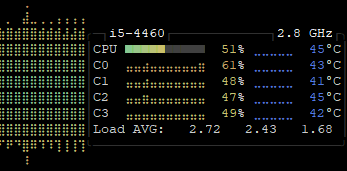
Really interesting tweaking the Video settings to prevent my Core i5 4460 in my server from getting swamped through transcode jobs. Passthrough was working yesterday, now it's not. I'm tempted to put an old Nvidia card in here if I can find one around the apartment just because even an oldie like a 970 would probably lighten the load significantly compared to the onboard Intel HD graphics. I'm currently bumping the quality up bit by bit to figure out what the CPU can handle.