Some morning reversing since I was curious about something...
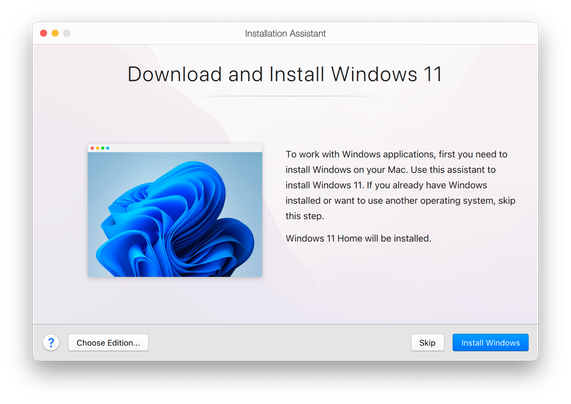
Parallels can download Windows 11 Arm images from directly inside the app. This was interesting to me since this normally requires a Windows Insider account and I haven't seen any other software that does this. [1/n]
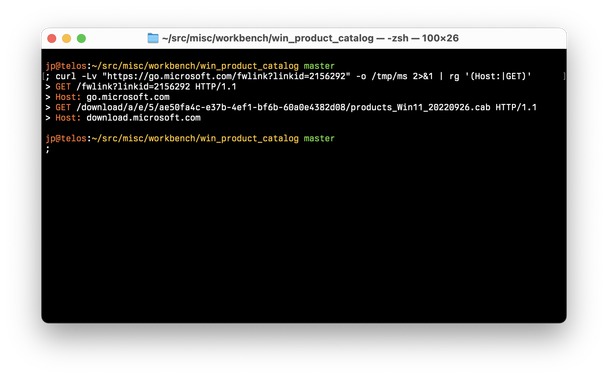
Upon startup, Parallels queries a shortened URL, which expands to a URL on the http://download.microsoft.com domain. This URL is for a CAB archive, `products_Win11_<date>.cab`, which is downloaded and extracted. Inside is just a single file, `products.xml`. [2/n]
Download Drivers & Updates for Microsoft, Windows and more - Microsoft Download Center

The official Microsoft Download Center. Featuring the latest software updates and drivers for Windows, Office, Xbox and more. Operating systems include Windows, Mac, Linux, iOS, and Android.

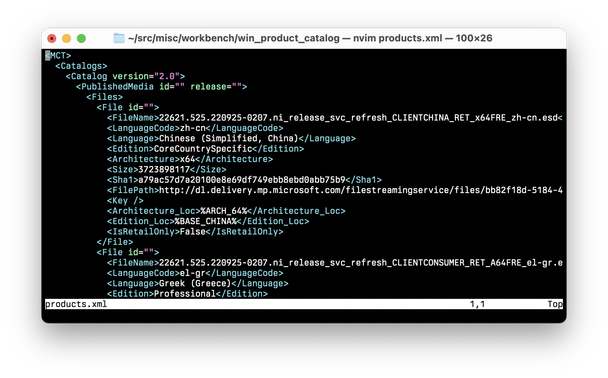
This file is roughly 29,000 lines of XML. It contains entries for each permutation of architecture, edition, and language that Windows 11 is offered in. Using a little bit of `yq`, it's easy to filter the catalog contents to find the variant you are looking for. [3/n]
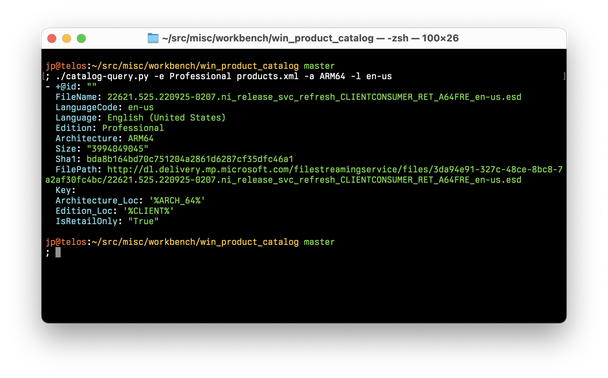
I chose to wrap this up in a little Python script to avoid writing 100+ character `yq` queries by hand. Shown below is the result of searching for Windows 11 (Arm) Professional, US English language. The `FilePath` key links to a downloadable ESD image. [4/n]

These ESD files are not immediately useful as they are a Microsoft format and cannot be installed directly using Parallels, VMware, or similar products. In this case, Parallels happens to ship with a tool `prl_esd2iso` which converts these ESD files into ISO images.

After converting the ESD to an ISO, you can now install Windows 11 in your preferred VM software. There are other tools for converting ESD files to ISOs out there in the case that you don't have Parallels; as an exercise you could even make your own. (Hint: wimlib) [5/n]

All in all, nothing too crazy, but it was cool to find out how Parallels accomplishes this. You can find the tiny scripts I wrote during the process here: https://github.com/jonpalmisc/workbench/tree/master/win_product_catalog [6/6]
workbench/win_product_catalog at master · jonpalmisc/workbench

Random experiments and shenanigans. Contribute to jonpalmisc/workbench development by creating an account on GitHub.

GitHub