 henry ✷
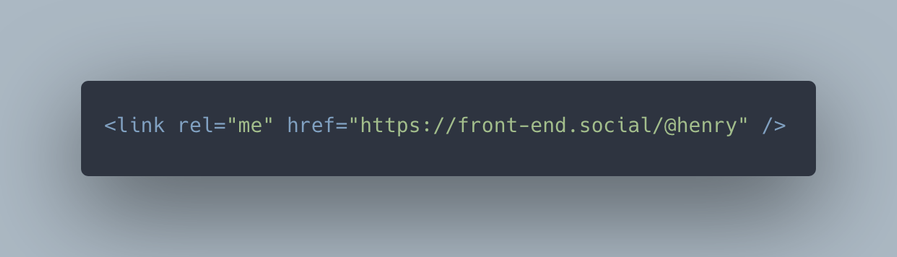
btw, if you want to verify a link to a site but don’t necessarily want to backlink to mastodon, you can use `link rel=me` in your `<head>` instead of an anchor tag like mastodon suggests.
@henry @samdeane Thinking aloud here. My full Mastodon ID is public. Therefore Mallory Mal-Actor can add such a link to *any* website of theirs.
So the presence of the link merely verifies that Mallory controls their *own* sites.
Because there is no challenge/response mechanism, such as used by LetsEncrypt, there is no assurance that *I myself* control the site.
So, correct me if I'm wrong (it often happens) this is just security theatre and not worth wasting time on?
@henry @samdeane As I said, just thinking aloud.
Essentially you are saying that if Mallory posts my <link rel="me" href="your mastodon URL"/> to his server then that is not a risk.
I am saying that trusting such a link, which literally anyone can create and post, is fundamentally a bad basis for any kind of verification model.
@VerticalBlank @henry my understanding is that the basis for verification is you asserting that you own a site by placing a link to it in your profile.
Which only you can do.
The back-pointing rel=“me” link is proof of that assertion, but on its own it does nothing.
@samdeane @henry Thanks both, I have found this which explains a lot <https://youtu.be/aiXYu-Zz38c?t=468>
If you are a public figure then having your own, recognized website confirm your Mastodon handle suddenly makes much more sense.

 VerticalBlank
 Sam Deane