Social networks need critical mass to sustain themselves.

Part of that is making sure this site has that critical mass by encouraging folks to come here.

Part of that is making sure bird site isn't a place where you provide free content anymore.

There's a good chance when you joined here, you cared more about the first of those as a hedge against bird site dying.

But if recent changes mean you want birdsite to affirmatively die, you'll need to do both.

#NoFreeContentForFascists

@Pwnallthethings good time to redirect twitter.com to 127.0.0.1 in your `/etc/hosts` (or `C:\Windows\System32\drivers\etc\hosts`)
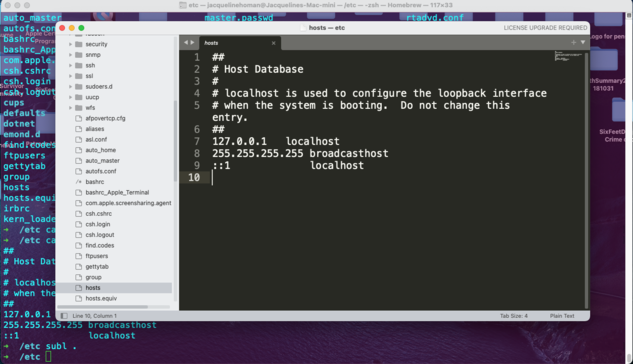
@diracdelta @Pwnallthethings How can I do the equivalent of that on a Mac?
@jacquelinehoman mac should have it in /etc/hosts. You may need to modify the file as an administrator.
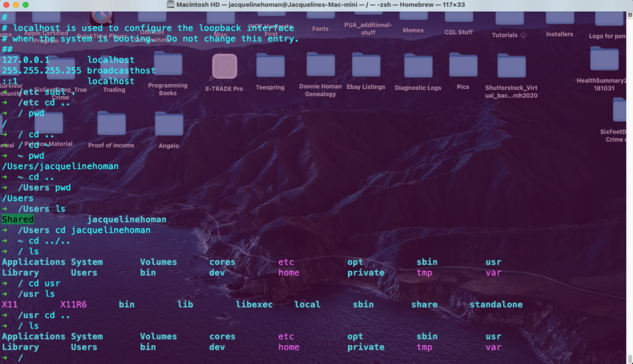
@diracdelta only problem is that hosts is not a directory in my Mac, and I'm NOT at all tech savvy and don't want to screw anything up I won't be able to fix.

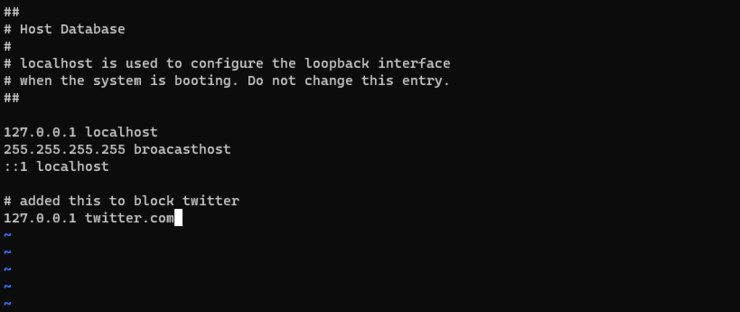
@jacquelinehoman you just need to add an extra line for:

127.0.0.1 twitter.com

at the end

@jacquelinehoman also, if you're happily using a terminal, I am questioning your claims of non-tech savviness. :)
@diracdelta Just because I can putter around a tiny bit in a terminal and know maybe 5 Linux commands at most, that doesn't mean I know how to do much else, LOLZ! I don't know how to safely do a redirect for a site/platform or anything like that. That's way over my head.
@jacquelinehoman
Something like this should work

@jacquelinehoman
Quick summary of what this does:

Whenever a http (or https request) is made from your browser, the browser needs to convert domain addresses, like twitter.com (in https://twitter.com/home) into IP addresses. The first thing that gets checked is the hosts file. 127.0.0.1 is your local computer. So a twitter.com request gets redirected locally. Since your computer is not running a server, your browser will simply fail to resolve the network request.

Log in to X / X

Log in to X to see the latest. Join the conversation, follow accounts, see your Home Timeline, and catch up on posts from the people you know.

X (formerly Twitter)
@diracdelta Ah, I see! So basically, it's telling my computer to tell Twitter to go f*ck itself. I like that!
@diracdelta OK, I added that line to my hosts file, but my browser still takes me to Twitter. What did I do wrong? How come it don't work for me?

@jacquelinehoman

So if you're still getting actual requests, you may need to restart your browser. Your browser will sometimes cache the answer to "Hey, what's the IP for twitter.com?" so it doesn't have to query either the hosts file or the DNS server (which is what it talks to if it doesn't find the answer there).

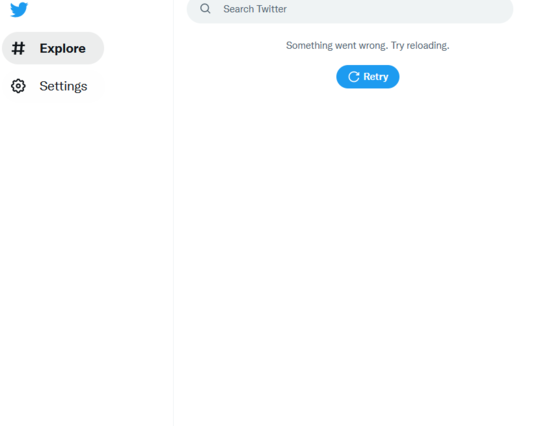
Now that said, if this is working you should get this:

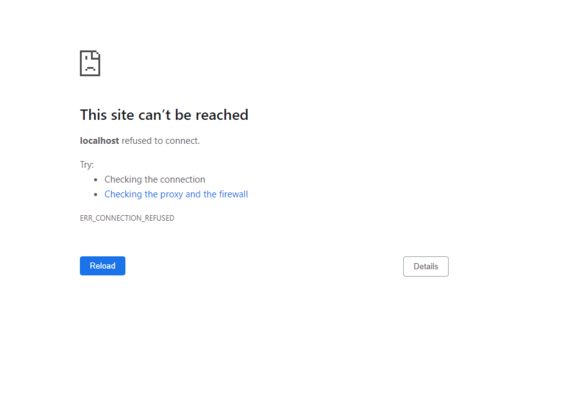
@jacquelinehoman the weird thing about this is you might initially expect to get a completely failed request as if you just typed 'localhost' into your browser, like this:
@jacquelinehoman The reason *that* doesn't happen is because browsers also have the ability to cache responses from a domain. In that case the browser skips the network request entirely.
@diracdelta Welp, I think I messed everything up entirely because both twitter and localhost don't work now
@jacquelinehoman what does localhost normally do? You *should* get "This site can't be reached" for localhost.
@diracdelta Oh, OK. See I don't understand all this stuff. I'm NOT smart at tech stuff. At all.
@jacquelinehoman should you need to ever access twitter for some reason, you can simply remove the line from the hosts file in future, and you should be good to go again.