
"Mastodon is just like email."
Like email? So I use Microsoft Outlook?
"Use WHAT"

(Tools -> Account Settings -> RSS Feeds -> New -> https://mastodon.social/@Gargron.rss)
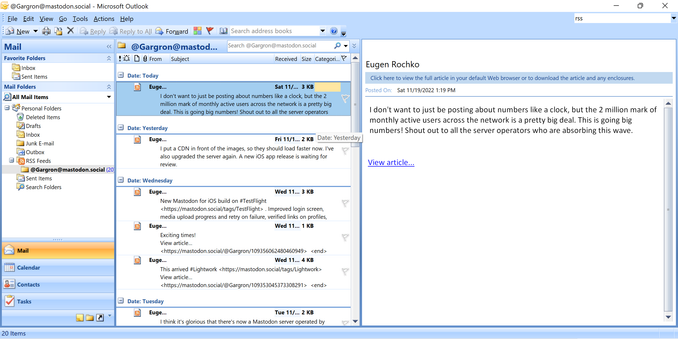
@zhuowei and the circle is complete
@zhuowei unfortunately it is just direct posts, doesn't seem to publish reposts or replies
@simo You can ask for replies: https://mastodon.social/@Gargron/with_replies.rss (There are more tips about RSS in https://mstdn.social/@feditips/108357998963885456)
I didn't enable it as I wanted to be kind to the fragile 15-year RSS code (it already fails on Pleroma's RSS feeds: it errored out on https://notnow.dev/users/zhuowei/feed.rss)
FediTips has moved! (@[email protected])

RSS fans! You can follow any Mastodon account via RSS by just adding ".rss" to the end of the account's public profile URL. To find a user's public profile URL, click on their profile image within Mastodon. For example, if you click on FediTips' profile image you get this page in a new tab: https://mstdn.social/@feditips So, to follow FediTips through RSS, use this address: https://mstdn.social/@feditips.rss This will only show that account's public posts. Other posts will not be visible on the RSS feed. #RSS #MastoTips #FediTips #Mastodon

Mastodon 🐘
