 Chris Trottier
Mastodon v4.0 has a really nifty edit feature!
Here's how to use it.
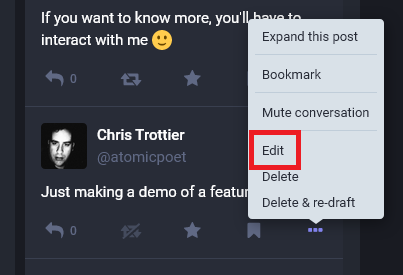
1. When you click the ellipsis icon (...), you'll see an option for edit
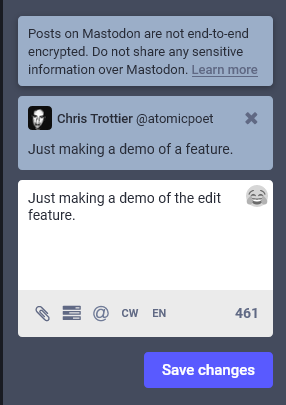
2. After clicking "Edit", you'll be able to adjust the original message in the Compose box. NOTE: this does not delete the original message
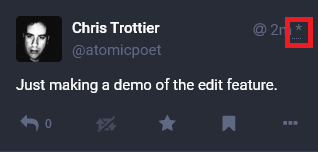
3. In your feed, you can see which messages have been edited by a star on the upper right corner next to the time it was sent
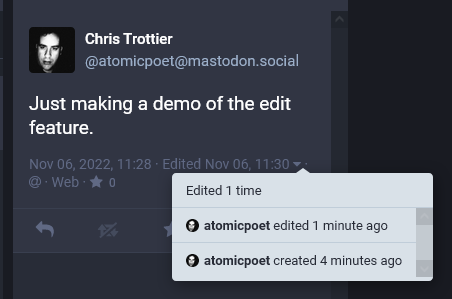
4. You can also view logs of edits by clicking the ▼ icon underneath the message.
 Jan Eden