Mastodon v4.0 has a really nifty edit feature!

Here's how to use it.

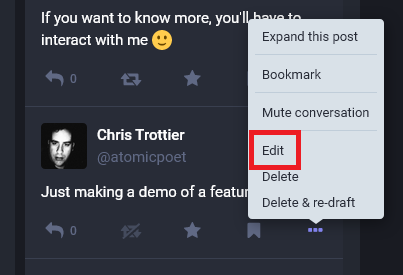
1. When you click the ellipsis icon (...), you'll see an option for edit
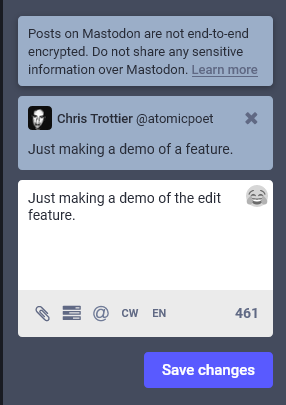
2. After clicking "Edit", you'll be able to adjust the original message in the Compose box. NOTE: this does not delete the original message
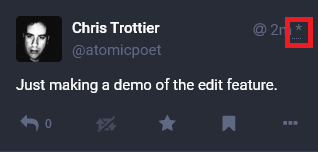
3. In your feed, you can see which messages have been edited by a star on the upper right corner next to the time it was sent
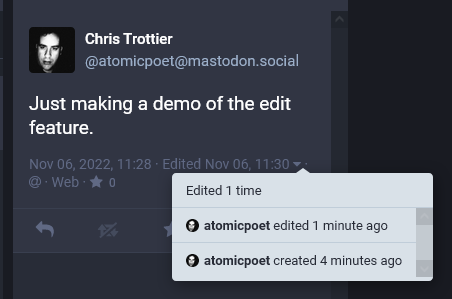
4. You can also view logs of edits by clicking the ▼ icon underneath the message.
@atomicpoet I only see "Delete & Re-draft in my instance, using the web view. Is this not a universal feature across Mastodon?
@killyourfm It's available for v4.0. It looks like you're on v3.5.3.
@atomicpoet Well that's a logical explanation!

@killyourfm @atomicpoet

Another new v4.0 feature I'm looking forward to (when I get it) is the ability to follow hashtags.

@killyourfm @atomicpoet

The v4.0 feature list also shows the Admin can view toot edits as well. So if someone abuses someone else then edits out the offending text, they're not going to get away with it :)

@mackaj @atomicpoet Yes! That will significantly reduce the width of my web interface