 Danielle Navarro
If you like it, favourite it. If you want to share it, boost it. If you like something *and* want to share it, do both. Don’t ignore the importance of social gestures of affirmation and support. Those things matter to people. It lets them know they are appreciated!
 Marie Manalili (siya/she/👉🏽)
@djnavarro I want to but I still haven't figured out how to check if an image I see and like has alt-text 🤕
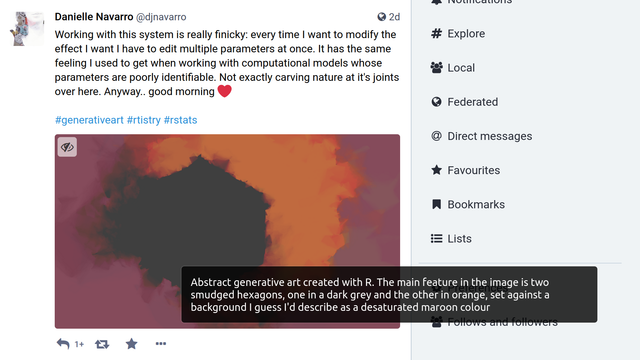
@mariemarm I think you can check on the web interface just by hovering the mouse over the image: if the image has alt-text it should show up as a tooltip, like in the image attached
@djnavarro oh thanks for showing me how on the web! I'm on the Android app and still can't figure out how to check it here lol So I just need stronger inhibitions when on app? 🙈
 Am I?
Am I?@mariemarm
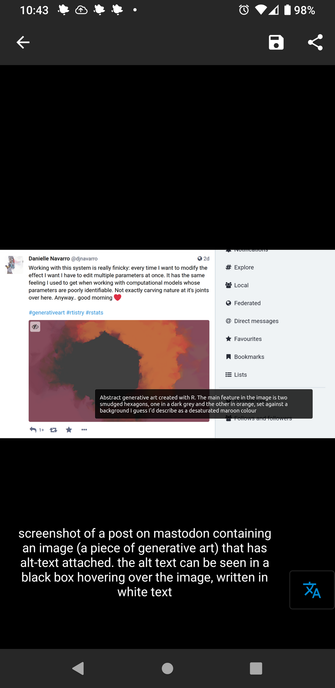
If "the app on android" is #Fedilab, when you open the image you can tap it and the alt text will appear.
@djnavarro
If "the app on android" is #Fedilab, when you open the image you can tap it and the alt text will appear.
@djnavarro
@ami @djnavarro I tried that but I'm on the tech.lgbt app and it still doesn't seem to work? Sorry for not being clear 🙈
@mariemarm
tech.lgbt uses mastodon 3.5.3, so you should be able to see the alt text by clicking the image to see it and then hovering. If you are on mobile I don't know how to get the alt text to appear, sorry 😔
@djnavarro
tech.lgbt uses mastodon 3.5.3, so you should be able to see the alt text by clicking the image to see it and then hovering. If you are on mobile I don't know how to get the alt text to appear, sorry 😔
@djnavarro
@ami oh I got it now! I need to tap and hold to see the alt text! I was only tapping lightly before 😂 Thanks for your patience with me! 🤭🙈 @djnavarro
 Dr. Ryan Straight
@mariemarm @djnavarro works in the Tusky Android app by just touching the image. Alt text should show up at the bottom of the screen if there is any. For example:
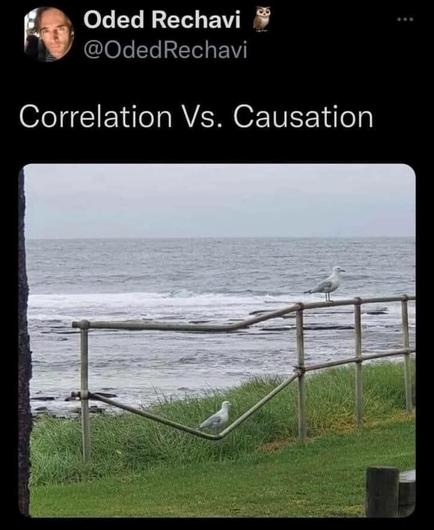
 Archival Blob
@mariemarm @djnavarro on tusky the alt text is shown when you click on an image
 Quing Em van Khaos
@mariemarm @djnavarro Tusky android app shows the image description if you click on the image to open it fullscreen as text view
 John Chivall
@mariemarm @djnavarro The official Mastodon app is pretty rubbish tbh. I'm using Tusky, which displays alt text easily and generally works better at everything than the official app