 Merzmensch
#Merzmensch presents: #StyleGAN2 locally.
Part 5. Infinite Latent Map
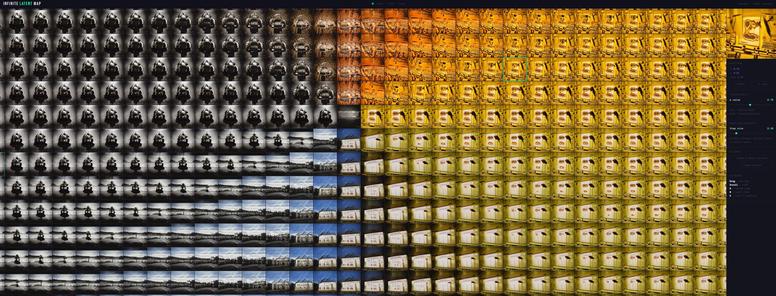
The heart of the suite: explore the endless memories of the machine, directly within the infinite Latent Space. In your browser. Visually.
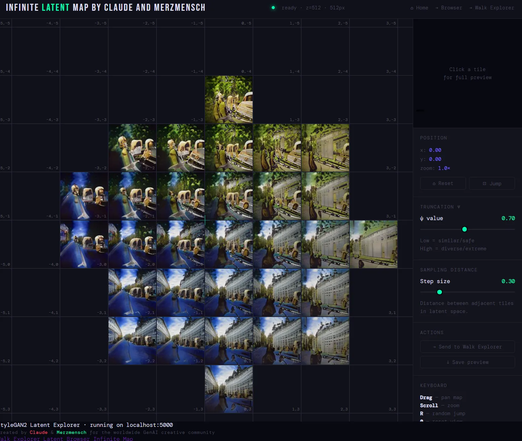
#Merzmensch presents: #StyleGAN2 locally.
Part 5. Infinite Latent Map
The heart of the suite: explore the endless memories of the machine, directly within the infinite Latent Space. In your browser. Visually.
#Merzmensch presents: #StyleGAN2 locally.
Part 4. Walk Explorer
Create interpolation videos from GAN models. GANism comes to life!
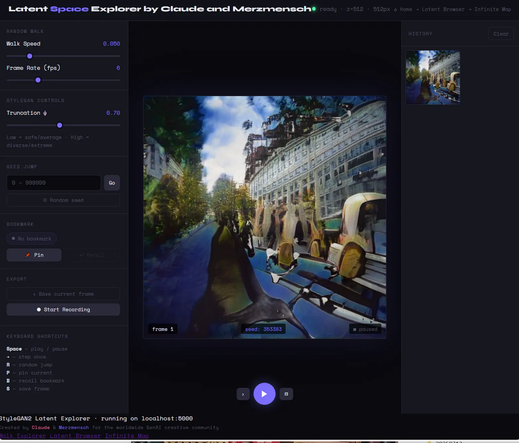
#Merzmensch presents: #StyleGAN2 locally.
Part 3. Latent Browser
Explore your trained GAN model with random seed. You can send every image you like to Walk Explorer or Infinite Map. Objet trouvé rebooted. Become an AI art brut artist.
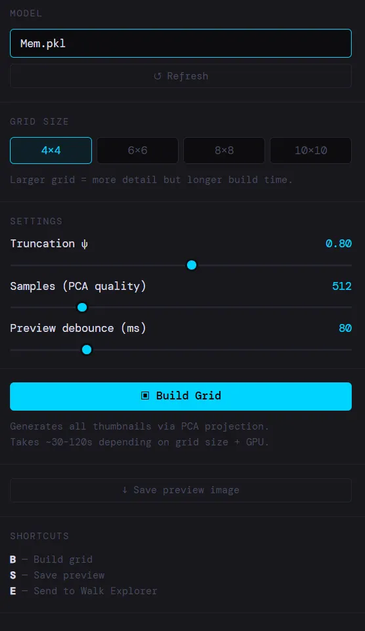
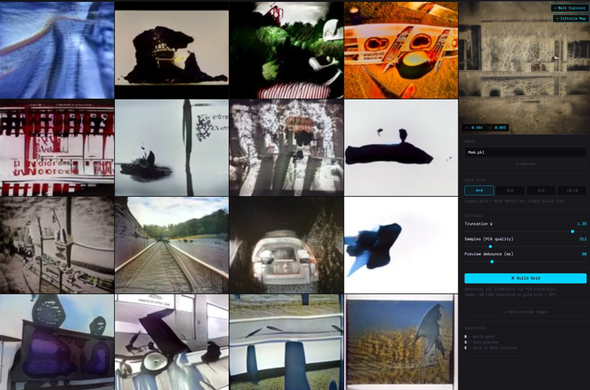
#Merzmensch presents: #StyleGAN2 locally.
Part 2. How to install?
Quite easy - I was also thinking on Windows users. Now every artist, who would like to work with GAN, can do it without limits (again).
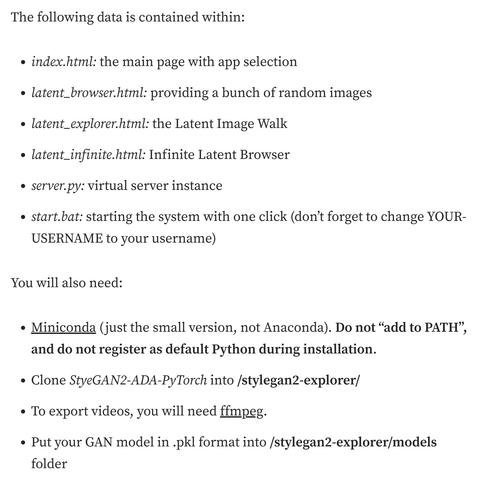
#Merzmensch presents: #StyleGAN2 locally.
Part 1. What does it contain?
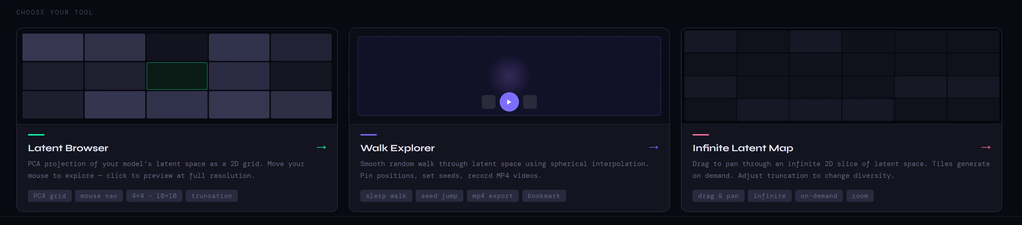
Latent Browser - random GAN samples
Walk Explorer - endless interpolations, also as videos
Infinite Latent Map — roam inside the machine’s memory.
#StyleGAN2 with #ComfyUI.
GAN Interpolation video
By using Video Combine node, you will be able to generate a video from your latent space. Select the framerate, video format (mp4, gif etc.), and loops if desired.
Read more: https://medium.com/merzazine/stylegan2-locally-part-i-comfyui-e83df2f4fb3f?sk=028fa0d6cab9edc5736225c530bb1909 @ComfyUI
#StyleGAN2 with #ComfyUI.
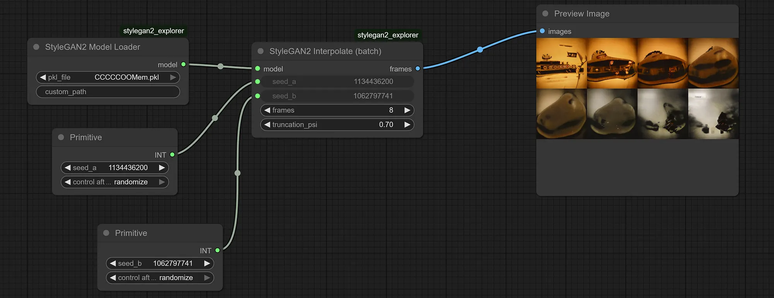
Small advice to randomize the seeds. Use "Primitive" node and set "control after generate" to "randomize". Every new run will bring new values.
Read more: https://medium.com/merzazine/stylegan2-locally-part-i-comfyui-e83df2f4fb3f?sk=028fa0d6cab9edc5736225c530bb1909 @ComfyUI
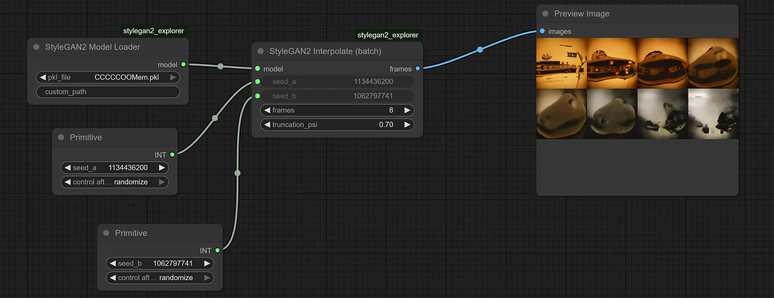
#StyleGAN2 with #ComfyUI.
Creating an interpolation between two latent images. In exporer mode you define, between which seeds should be interpolated. With "frames" you define the count of images, with truncation the diversity.
Read more: https://medium.com/merzazine/stylegan2-locally-part-i-comfyui-e83df2f4fb3f?sk=028fa0d6cab9edc5736225c530bb1909 @ComfyUI
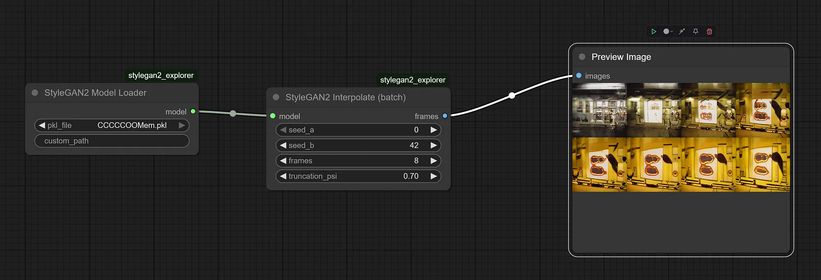
#StyleGAN2 with #ComfyUI.
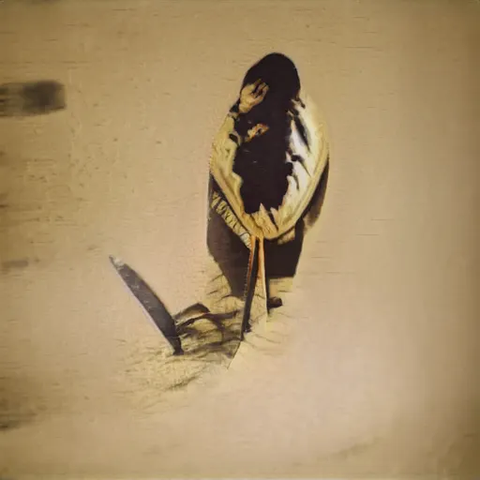
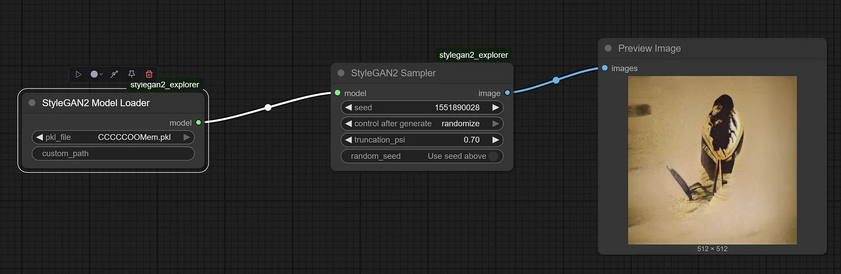
The most basic node: image retrieval from the Latent Space. Loader defines your model. With Sampler you set the seed of the image to get.
Work with GenAI without prompts.
Read more: https://medium.com/merzazine/stylegan2-locally-part-i-comfyui-e83df2f4fb3f?sk=028fa0d6cab9edc5736225c530bb1909 @ComfyUI
 Hassmeister