 Cecelia
I grew up using the Mac. I love BBEdit.
How can I replicate this experience on Linux? Specifically, I’m currently trying to extract the text found from a regex search using the Kate text editor.
@onemoreday Love to see it.
What’s your preferred desktop environment (or what are you using on this)?
I grew up using the Mac. I love BBEdit.
How can I replicate this experience on Linux? Specifically, I’m currently trying to extract the text found from a regex search using the Kate text editor.
Running a long process while away from the computer, I wanted it to stay awake so it doesn’t cut wifi/sleep.
manually blocks auto sleep/locking
Great, but now I don’t want the screen to stay on forever… the XFCE desktop environment has a widget to lock display. This seems to be missing from my Plasma configuration.
does fruitless internet search
decides to look for Mac-like hot corner for display sleep/screen lock and finds blank keyboard shortcut option for Lock Screen and adds keyboard combination
tries new keyboard combination and is greeted with the lock screen system setting. 🙃
Thankfully, a keyboard command is listed there to actually lock the screen.
It is Meta+L. You’re welcome.
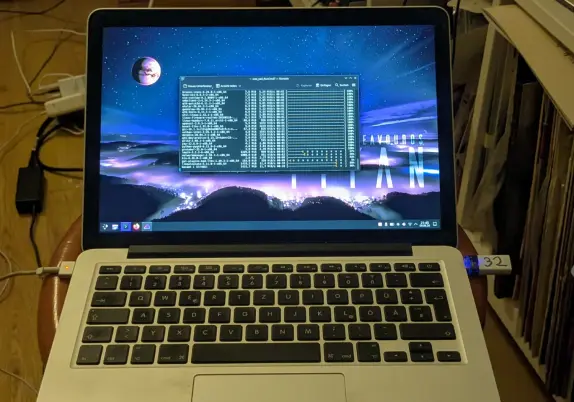
Finally got Blender running on this 14-year-old MacBook Pro.
Unfortunately, the driver for the Intel integrated graphics MESA chip only supports OpenGL 4.2, but the version of Blender in the Trixie repository requires support for OpenGL 4.3. 🙃
Needed to add some settings for launching the binary from the command line (MESA_GL_VERSION_OVERRIDE=4.3 MESA_GLSL_VERSION_OVERRIDE=430)
What’s the minimum macOS version neeeded to support installing Asahi Linux?
I know macOS is required for firmware updates, but what does this mean for use? Only the latest stable version of macOS firmware updates are supported?
Chėrɛs, je n'a jamais installé Linux sur un Mac(book Air). Je sais qu'il y a des soucis de compatibilité. Auriez-vous des guides pour ceci, une grille ou banque d'infos sur les compatibilités, des expériences et conseils etc?
For you MacBook Pro users installing Debian, I leave you the knowledge of mbpfan’s existance.
https://manpages.debian.org/trixie/mbpfan/mbpfan.8.en.html
Installable with: sudo apt install mbpfan
Trying Subtitle Composer. It’s really cool that this was included by default in my KDE Plasma install. I’m finding it a little visually glitchy and inconsistent with how I’m able to use keyboard commands (focus dependent on if I have editable text in focus—it’s a bit difficult to achieve blur), however in the Debian version—though it could be my particular theme tweaks or ancient graphics card. I’m a version behind, so maybe the painting issue has already been resolved.
Anyway, giving it a try to caption a short video. It’s really quite full featured and supports a bunch of formats. I may need to customize some keyboard shortcuts for efficiency since this MacBook Pro did not come with an Insert (Ins) key.
Fedora Asahi Remix 43 brings Linux to Apple Silicon Macs
https://fed.brid.gy/r/https://nerds.xyz/2026/03/fedora-asahi-remix-43/
 Herr Irrtum! 🔊 🏳️🌈
 Dobody 🇺🇦🍉
 NERDS.xyz – Real Tech News for Real Nerds [Unofficial]