 Royal Apps GmbH
❗️”An error occurred while loading a document” sounds familiar? 🫠 This can be fixed by giving Royal TSX Full Disk Access via the System Settings → Privacy & Security → Full Disk Access section as shown here:
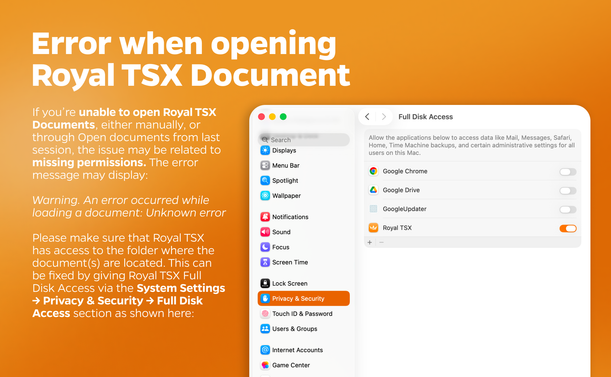
❗️”An error occurred while loading a document” sounds familiar? 🫠 This can be fixed by giving Royal TSX Full Disk Access via the System Settings → Privacy & Security → Full Disk Access section as shown here:
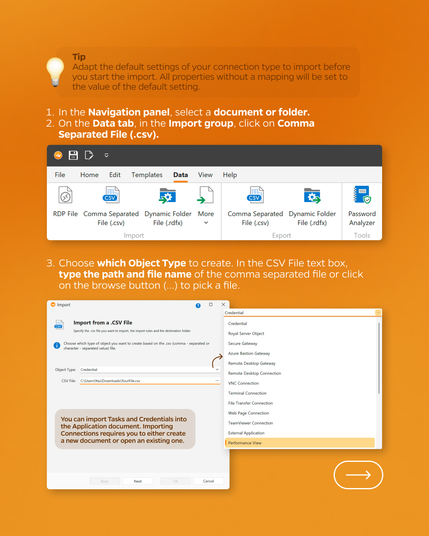
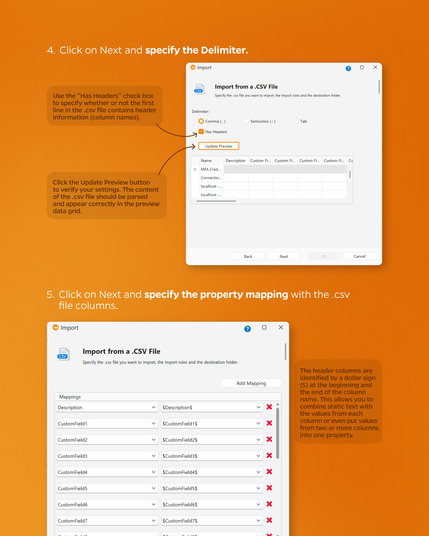
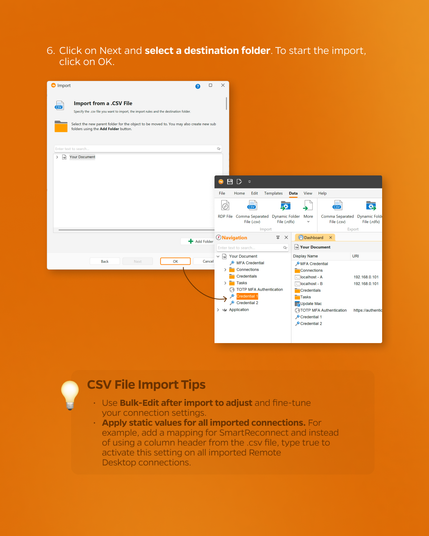
Here are some tips on how to import from a CSV file in Royal TS 💡📂
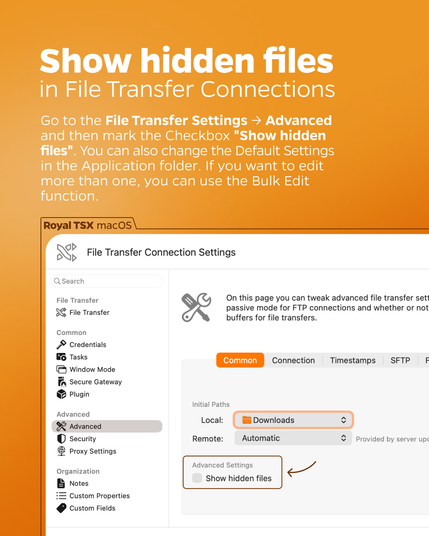
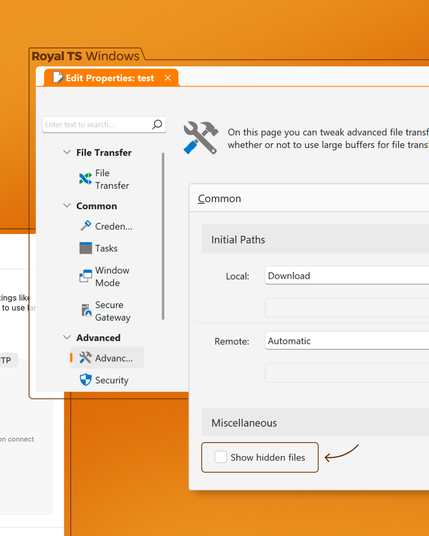
Want to show the hidden files of your File Transfer Connection? Easy! Just go to Connection Settings → Advanced → Show hidden files 💡 You can also change the Default Settings in the Application folder or use the Bulk Edit function, if you want to edit more than one ⚙️
#FTP #filetransfer #remotedesktop #rdp #devops #itadmin #terminalservices
Did you know that out of the box, Royal TS has the ability to send its logs to an Elasticsearch Server/Cluster? 👀 Check out our Community Page for more information ➡️ https://community.royalapps.com/t/how-to-send-royal-ts-logs-to-an-elasticsearch-server-cluster/159
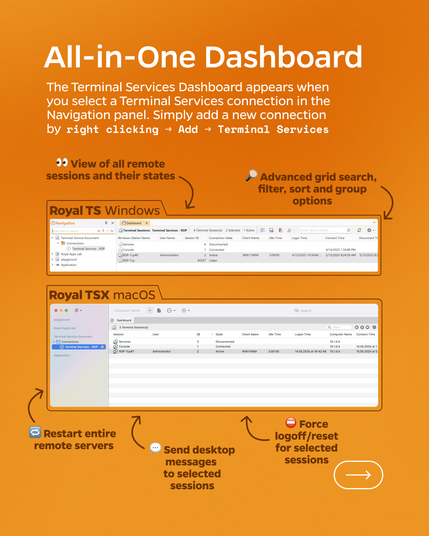
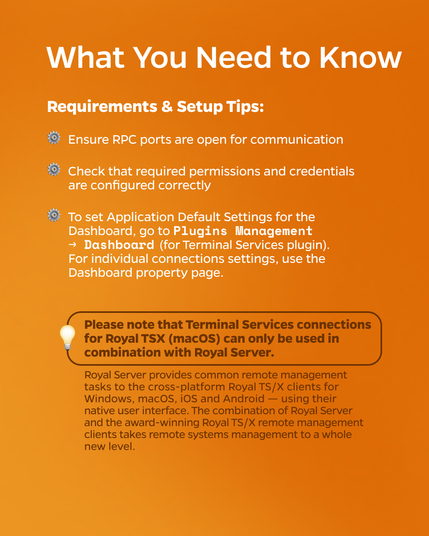
Tired of Managing Multiple Remote Sessions manually? Here’s the Fix 💡 Read more under: https://royalapps.com/go/help-ts-win-v7-ref-terminalservices
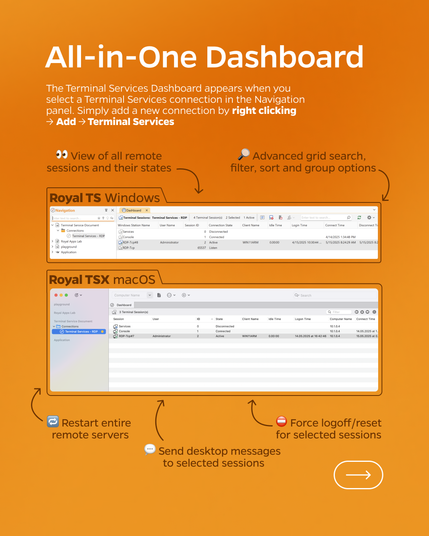
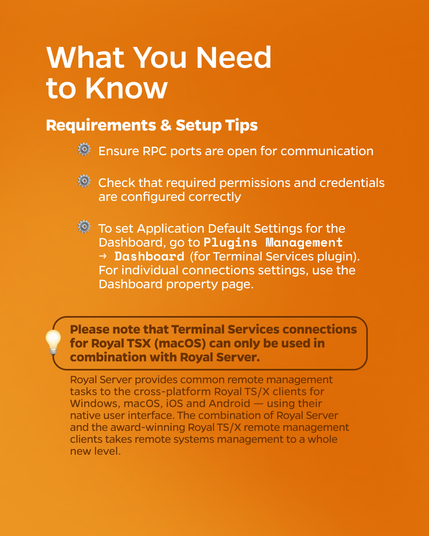
Tired of Managing Multiple Remote Sessions manually? Here’s the Fix 💡 Read more under https://www.royalapps.com/go/help-ts-win-v7-ref-terminalservices
#RoyalTS #SysAdminLife #RemoteDesktop #ITManagement #TerminalServices #RoyalServer