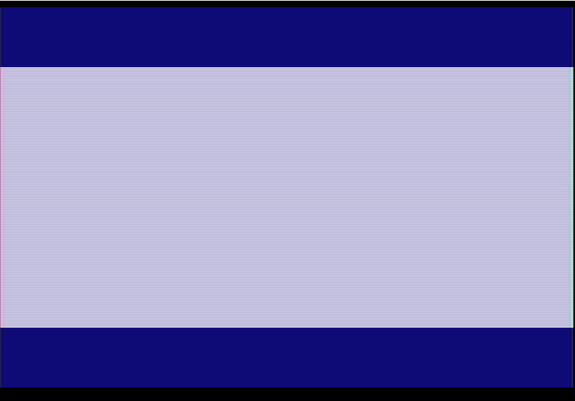
Already reached Milestone 2! πŸ’ͺ​

it is so nice when you get to make the milestones, and they are so easy to reach πŸ€«β€‹

In this step I mainly move around stuff, clean up the #6502Assembly code and make use of macros more productively.

The main goal was to show how you can use #Atari2600 timers to show a complicated image, while the CPU processes new commands at the same time.

Using macros, I was able to clean the main file and focus mainly on game code without caring about counting what scanline the TIA is on, that is the magic of Macros... if that gets you excited, next step will have subroutines, get ready! πŸ€©β€‹

Subroutines are very usefull as they let us count how many cycles we have inside them, and thus calculate if we have enough time to use them.

OK, where are we now? We have most of the boilerplate done, we have a stable PAL image and we understand exactly each part of the code does.

Next step is to start printing some text, and while at it, also make that text be a score and a timer, fake for now, but no one will know if they only look at a picture, right?πŸ˜‡β€‹

The challenge is that there is no such thing as fonts in Atari2600, we have to tell the TIA when to show a colour, and by arranging them correctly, we will make shapes that look like letters and numbers... hmm, i guess that is what fonts are anyway.

Here is the code now:

https://gitlab.com/xsk/mineredd

and the release for this ROM Milestone:

https://gitlab.com/xsk/mineredd/-/releases/v0.02

You can use the Makefile commands to load the game up on #StellaEmulator or just use #8bitworkshop directly.

Can’t wait to receive the PCBs so we can see the code run on actual hardware!! should be this week
xsk / Mineredd Β· GitLab

GitLab.com

GitLab

So.... coding an #atari2600 how hard can it be? it is a 40 year old machine after all, nothing existed back then, let alone complex coding design structures, right? πŸ˜ˆβ€‹

Well, yes, but coding a system that is this old comes along with the limitations of those times, and there are a lot of them.

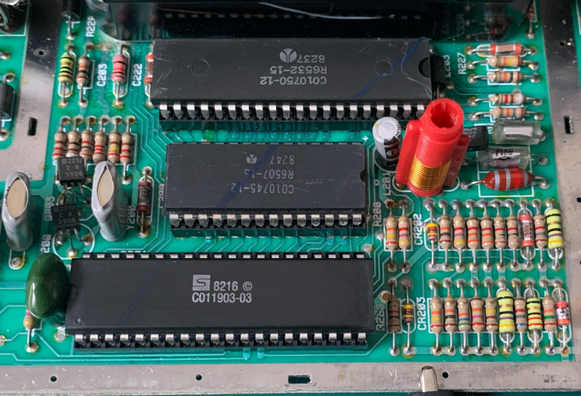
Overall, the main board has 3 ICs, the CPU, that does all the calculations, the TIA chip that does all the Television Interface, Sound and collision stuff (plus some potentiometer reading), and the RIOT chip that has the RAM does Input output and Timer related things.

You program the 6507 CPU, that is a cut down 6502, using #6502assembly and you interact with the other two chips by the use of memory registers. πŸ§‘β€πŸ«β€‹

You have (if you exclude banking techniques) 4Kbyte of space to write your program which will end up in the Cartridge and 128 Bytes of Ram ( yes, bytes ) that is used for everything runtime, including the stack.

Oh, and no framebuffer, you have to make sure you pipe data to the TIA chip the moment it needs them, this is where the term β€œracing the beam” comes from. πŸ–ΌοΈβ€‹

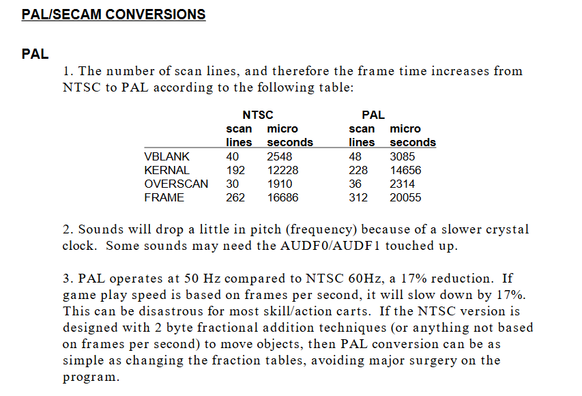
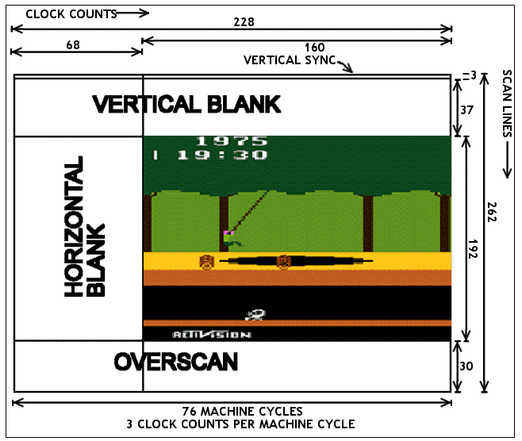
My console is PAL, so there are some particular numbers that i need to put in place, so that the image shows correctly. Generally the difference between PAL and NTSC is that the second runs faster, as NTSC creates an image at almost 60 frames per second, while PAL every 50. But for PAL on this extra time you can draw more lines, so... bigger playfield!

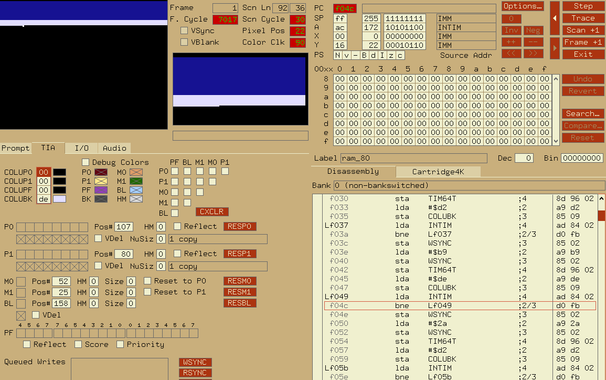
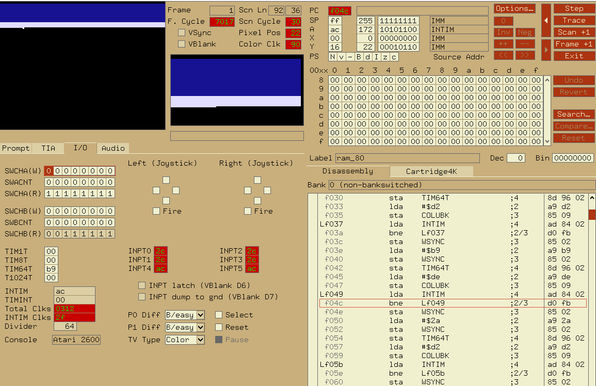
For developing, i use the #StellaEmulator (https://stella-emu.github.io/), pretty much the de facto choice, and #DASM (https://dasm-assembler.github.io/), the assembler that makes our assembly code to something that the Atari can understand.

I code in Vim on Linux, but VSCode plug-ins for DASM exist to be used.

You can also use #8bitworkshop for an Online IDE, the main difference is that you have less control over the registers/ram/state of a program compared to Stella, but in return you get much faster previews and you don't need to install anything to use it.

OK, enough with that, lets jump into some code. The first task is to make a blue screen that works on my PAL Atari, let’s call it the Blue screen of Life πŸ˜‡β€‹

Here is the snippet ( fixed access ):

https://gitlab.com/-/snippets/2459337

I hope the code comments are good enough, check the images on the post for the raster scan details that are mentioned in it.

You can take the code as it is and paste it on https://8bitworkshop.com/ to see the result... I will show how to make a cartridge to use it in real life once i have the PCBs delivered. πŸ’―β€‹

This is not the best way to create a playfield, as later on we will need to use timers to avoid losing the sync due to CPU calculating the game logic, but it is the best way to understand basic Atari 2600 Graphic generation.

I am going to watch some blue screen, and decide on what kind of game to write now... maybe it will watch me back ?

Stella: "A Multi-Platform Atari 2600 VCS Emulator"