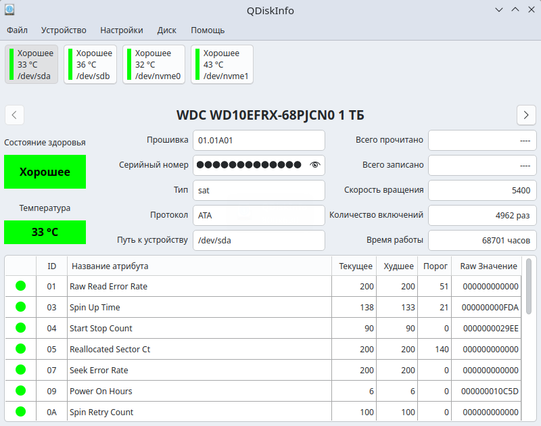
Seems I was lucky: after attaching the hdd to other machine I was able creating partitions without issue from #GParted, and #QDiskInfo reporting is also fine. 🥳

I'd blame the old sata cable but with different hdd (though only 500GB one) it works correctly...

¯\_ (ツ)_/¯

I just published my weekly email newsletter.

The topic this week is a useful program that lets me check the health status of a storage disk on Linux.

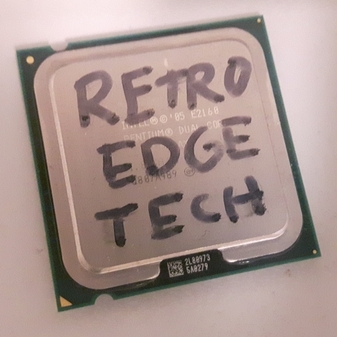
Also announced the winner of this week's computer giveaway:

https://retroedgetech.substack.com/p/a-useful-diskinfo-utility-for-linux

#Linux #GiveAway #qDiskInfo
A Useful DiskInfo Utility for Linux

Announcing the winner of the Computer Giveaway

RetroEdge.Tech Newsletter
Today I learned about qDiskInfo, a program for Linux that is similar in function and visual layout to CrystalDiskInfo, which is a useful tool on Windows.

Also useful is that it is in the current Ubuntu and Debian repositories (installed using apt on LMDE 7) and also as an AppImage on the GitHub releases page. The AppImage came in useful for a Linux system that didn't have qdiskinfo in the software repositories.

#qDiskInfo #CrystalDiskInfo #Linux #AppImage

✏️ QDiskInfo - утилита, предназначенная для анализа данных дисков (SMART) HDD и SSD

©️ Бесплатная и с открытым исходным кодом программа

⬇️ Установка посредством: AppImage пакета

👉️ https://linuxmasterclub.ru/qdiskinfo/

#Linux #OpenSource #Программа #Software #QDiskInfo

I just discovered that my ~6 year old #ADATA #NVME #SSD (SX8200 Pro) is maybe otw to dying lol - its #QDiskInfo report suggests that its health status is 'Good' but at 32%?

Anyway, looking for a replacement - prolly bumping up to 2TB this time cos 1TB is def not enough, even with barely any games installed. Any suggestions? Also, are
#Samsung SSDs any good these days? Cos I feel like they used to be the easiest recommendation, but I'm pretty sure I've only heard incredibly bad shit abt em not too long ago.