Struggling with HEIF/HEIC photos on your iPhone? 📾 Learn how to quickly convert them to JPG for easier sharing and compatibility. Simple steps inside to save space & make your photos more accessible! #iPhoneTips #PhotoHacks #HEIC #TechTips #Apple

https://pupuweb.com/how-do-you-quickly-convert-heif-or-heic-to-jpg-on-iphone/
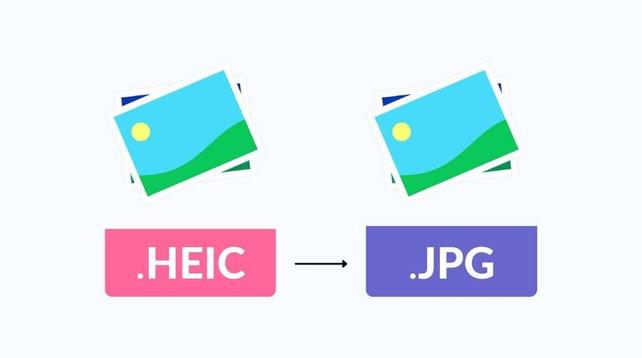
How Do You Quickly Convert HEIF or HEIC to JPG on iPhone? - PUPUWEB

Struggling with HEIF/HEIC Files? Here's How to Save Them as JPGs! Change Future Photos to JPG Format If you want your iPhone to stop saving photos as

PUPUWEB

Convert image files from one format to another:
– Img2Go Image Converter: https://www.img2go.com/convert-to-image
– Pixlr Image Converter: https://www.img2go.com/convert-to-image
– Convertio Image Converter: https://convertio.co/ru/image-converter/
– Clideo Image Converter: https://clideo.com/ru/image-converter

Compressing Graphics Files:
– TinyPNG: https://tinypng.com/

Making edits to images:
– Pixlr Editor: https://pixlr.com/ru/editor/

Colorizing black and white pictures:
– Image Colorizer: https://imagecolorizer.com/colorize

#PhotoHacks
#TechTips
#aitools

Convert to image online - Convert PNG to JPG and more

This free online image converter allows you to convert image to JPG, PNG, SVG, GIF, & more. Use the ICO converter or convert from PDF to JPG online & for free.

Convert to image online - Convert PNG to JPG and more
Astrophotography hack: if you have trouble framing the stars with a foreground and don't want to wait the 30 seconds for each exposure, crank up your ISO to almost the maximum, and play with the shutter/aperture until the stars are visible (albeit extremely noisy), and viola, you can take preview pictures to compose without worrying about the galaxy rotating away, then do the non-noisy shot!
#photography #photohacks