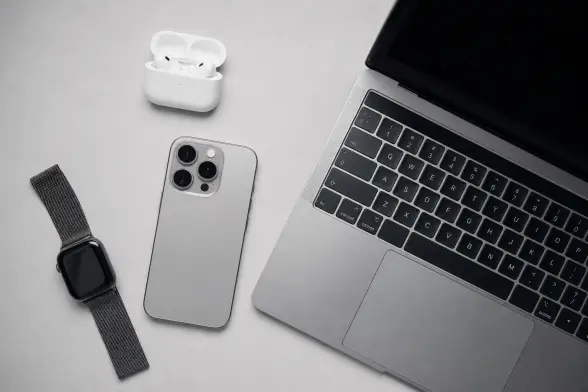
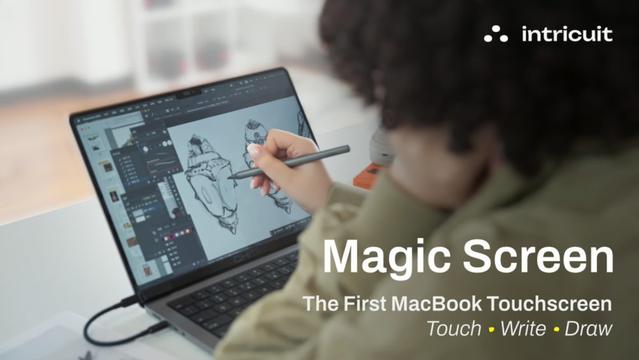
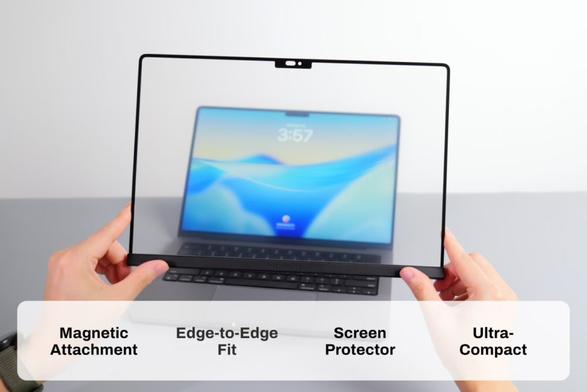
El nuevo MacBook Pro 2026 no solo trae OLED y pantalla táctil… será más delgado y ligero 👀

Por fin el modelo de 16" podría dejar de ser un ladrillo premium. Eso sí, solo en versiones M6 Pro y Max.

¿Qué os emociona más: la pantalla OLED o el nuevo diseño?

#MacBookPro #Apple

Given how great the construction of the #MacBookNeo is, I'm confident next MacBook Air and MacBook Pro redesigns will follow soon after.

#Apple #MacBook #MacBookAir #MacBookPro #AppleSilicon #Laptop #Laptops #Mac #macOS

Apple M5 chips: what super, performance and efficiency cores actually do

Apple’s Anand Shimpi calls the M5 super core the fastest CPU core in the world and breaks down how it differs from both the new performance core and classic efficiency designs.

https://gadgetbond.com/apple-m5-chips-super-performance-efficiency-cores-explained-anand-shimpi-interview/

This MacBook Pro Screen Mockup for Photoshop Changes How You Present Design Work

Honestly, most designers undersell their work. Not because the work is weak — but because the presentation is. A flat screenshot on a white background tells a client nothing about atmosphere, nothing about scale, and nothing about feel. A well-chosen MacBook Pro screen mockup does all three simultaneously. And this particular one from Adobe Stock contributor Rawpixel does it with a level of visual intelligence that deserves a closer look.

What you see here is not just a device template. It is a full environmental argument for how design should be staged. Moreover, the creative and editorial choices behind this scene are deliberate, studied, and frankly a little brilliant. This article breaks down why that matters — for freelancers, creative studios, and brand designers who care about how their work lands.

Download the PSD mockup from Adobe Stock

Please note that this mockup requires Adobe Photoshop. The latest version can be downloaded from the Adobe Creative Cloud website; visit this link.

Laptop Apple MacBook Pro Screen Mockup by Rawpixel for Adobe Photoshop. Download the PSD mockup from Adobe Stock

Why Does the Environment Around a Laptop Mockup Matter So Much?

Clients don’t evaluate designs in isolation. They evaluate them in context. Therefore, the staging around your laptop mockup shapes perception before anyone reads a single pixel of your actual design. This is not a soft opinion — it is a documented principle of visual communication.

Call it the Ambient Context Effect: the environment surrounding a device in a mockup actively transfers emotional meaning onto the content displayed on screen. If the setting feels cheap, rushed, or generic, your design inherits that quality. Conversely, a refined, considered environment elevates the perceived value of whatever sits on that screen.

This Rawpixel mockup uses three environmental anchors to generate precisely that elevation: a matte concrete pedestal, heavy linen curtains, and raking natural window light. Together, they build what I call the Warm Neutral Staging Framework — a deliberate use of low-saturation, organic materials to neutralize visual noise and push the screen content forward.

Furthermore, the pedestal is a particularly smart choice. It implies authorship. It says: this work is worth putting on a plinth. That psychological cue is subtle, but it consistently registers with viewers. Most designers never think about this. They should.

What Makes This MacBook Pro Screen Mockup Technically Exceptional

The PSD file measures 5000 x 3333 pixels. That resolution is not arbitrary — it is large enough for full-bleed print use, high-resolution social headers, and retina-quality digital presentations. Additionally, Adobe Stock contributor Rawpixel has built it with smart object layers, meaning screen replacement takes seconds rather than minutes.

The mockup ships with two scene configurations. First, the blank-screen version shows the MacBook Pro facing slightly forward-center on a square concrete pedestal, screen fully lit with a neutral white. This version functions as a clean insertion point — your design goes in, the environment does the heavy lifting around it.

Second, the angled scene displays a “Cozy Autumn” editorial design on screen. This view tilts the laptop slightly right, exposing more of the physical keyboard and giving the composition a looser, more editorial feel. The warm amber tones on screen also harmonize with the linen and concrete — demonstrating what I call Screen-Environment Coherence, where the content shown on the mockup screen actively reinforces the mood of the surrounding setting.

Both scenes use the same light source: a window at camera-left casting soft, directional shadows. That consistency gives the two images visual unity. Consequently, you can use both in the same presentation deck without it looking fragmented.

The Rawpixel Approach to Photorealism

Rawpixel has built a reputation on Adobe Stock for exactly this kind of considered editorial staging. Their mockups rarely look like mockups. They look like set design photographs, which is the point. The lighting in this file uses real, physically accurate shadow gradients — not synthetic composites.

Notice the curtain’s soft caustic light on the wall. Notice how the pedestal catches a secondary warm bounce from the floor. These details are not decoration. They are signals of authenticity that your client’s eye will register unconsciously and interpret as trust.

How the Pedestal Framing Principle Elevates Your Laptop Mockup

I want to name something that the design community hasn’t fully articulated yet. When you place a device on an elevated surface — especially a geometric, architectural one — you activate what I call the Pedestal Framing Principle. The device shifts from being a tool to being an object of consideration. Your audience shifts from passive viewing to active evaluation.

This matters for portfolio presentations, client pitches, and agency case studies. It especially matters when you are presenting work that needs to feel premium — branding systems, editorial design, luxury e-commerce UI, high-end product packaging.

Furthermore, the pedestal creates a compositional gap below the device that prevents visual crowding. Negative space below the laptop lets the eye travel up naturally to the screen. This is basic compositional grammar, but mockup designers rarely honor it this cleanly.

Linen, Concrete, and What They Signal to Your Audience

Materials communicate. Linen reads as artisanal, considered, slow. Concrete reads as structural, confident, modern. Used together, they create a material tension that feels current — specifically attuned to the aesthetic language of contemporary brand design, editorial photography, and high-end lifestyle marketing.

If you work with clients in wellness, architecture, fashion, or food, this MacBook Pro screen mockup matches their visual language almost exactly. Additionally, if you work in tech but want to escape the sterile white-room clichés of most software presentations, this staging gives you immediate separation from the crowd.

That material intelligence is one reason I consider this mockup a top-tier tool for professional design presentations. It doesn’t just hold your work. It frames it within a coherent visual argument about quality.

Who Should Use This MacBook Pro Screen Mockup for Photoshop

The answer is narrower than you might think — and that’s a good thing. A mockup with this specific editorial personality is not a universal tool. It is a precision instrument. Use it when the work you’re presenting has warmth, craft, or a lifestyle component. Use it when your client’s brand values authenticity over slickness.

Specifically, this laptop mockup works exceptionally well for: web and UI designers presenting projects to creative agencies, freelance brand designers pitching identity systems, editorial and content designers showing digital magazine layouts, and photographers or illustrators presenting website or portfolio designs.

It works less well for presenting fintech dashboards with dense data, B2B SaaS interfaces with complex navigation, or corporate intranet redesigns. The staging is too warm, too human for those contexts. Matching mockup tone to project tone is a skill most designers overlook entirely.

Practical Workflow: Replacing the Screen in Adobe Photoshop

The file opens in Photoshop as a layered PSD with a clearly labeled smart object layer for each screen view. Double-click the smart object thumbnail to open a separate PSB canvas. Paste your design at 5000 x 3333 px, or let Photoshop scale it to fit. Save and close the PSB, and the mockup updates automatically.

Additionally, the file includes photos and design elements within the layer structure. You can toggle these on or off depending on how sparse or styled you want the final composition to appear. This level of control makes the mockup genuinely flexible — useful across multiple projects without looking repetitive.

For designers working in Adobe Express or Illustrator who need to export assets first — export your artboard at full resolution as a PNG, then import into Photoshop for smart object placement. The result is clean, sharp, and completely professional.

The Mockup as a Communication Tool, Not Just a Decoration

Here is a perspective that most mockup reviews skip entirely: a mockup is not a reward for finishing a project. It is a communication decision made at the very start of a presentation. Therefore, choosing the right mockup is as strategic as choosing the right typeface or the right color palette.

When I look at this Rawpixel MacBook Pro screen mockup, I see a very specific argument: that digital work can have physical presence. That a screen-based design can feel tactile, warm, and spatially anchored. That is a sophisticated claim, and most designers only make it accidentally when they happen to pick the right template.

Making it intentionally is what separates good designers from exceptional ones. This mockup gives you the infrastructure to make that argument deliberately, every time.

Why Adobe Stock Is the Right Source for Professional Mockups

Adobe Stock’s integration with Creative Cloud means this PSD drops directly into your existing workflow. No file conversion, no compatibility issues, no third-party plugins required. Moreover, licensing through Adobe Stock covers commercial use, which matters the moment a client presentation turns into a published case study or portfolio piece.

Rawpixel’s catalog on Adobe Stock is also exceptionally consistent in visual quality. Their mockups share a common lighting philosophy and material palette — meaning you can build an entire presentation suite that feels visually unified across multiple device types. That is a real strategic advantage for studios managing multiple client presentations simultaneously.

MacBook Pro Mockup Alternatives and When to Use Them

This staging is not the right choice for every project. So when should you consider alternatives? Use a flat lay laptop mockup when the work needs to feel accessible and approachable, use a dark-room or studio mockup when the project is tech-heavy or premium-digital, or use an outdoor or lifestyle mockup when the target audience is consumer-facing and mobile.

However, for brand-forward, editorially sophisticated work that needs to feel considered and permanent, the Rawpixel pedestal mockup has very few equals at its resolution and quality tier.

The two-scene structure also gives you flexibility that single-view mockups lack. You lead a presentation with the clean frontal view — maximum clarity, full focus on screen content. Then you close with the angled editorial view — warm, atmospheric, memorable. That sequencing creates a narrative arc. Most designers present work as a single image. The best designers tell a visual story.

Original Frameworks for Choosing the Right MacBook Pro Screen Mockup

I want to offer three evaluative frameworks designers can apply immediately when selecting any professional MacBook Pro screen mockup.

The Environmental Transfer Test: Look only at the background and staging of a mockup. Ask yourself what emotional quality that setting transfers onto the content. If the answer doesn’t match your client’s brand values, choose a different mockup regardless of how well the device looks.

The Screen-Environment Coherence Score: Rate how well the mockup’s color temperature, material palette, and compositional weight would harmonize with the content you plan to display. High coherence creates seamless presentations. Low coherence creates visual friction that your client will feel but won’t be able to name.

The Pedestal Principle Check: Does the mockup grant implied authority to the device and its content? Or does it treat the device as incidental? Any mockup where the device feels like an afterthought will make your work feel like an afterthought too.

Apply these three tests before you commit to any laptop mockup for a client deliverable. They take thirty seconds each and will consistently upgrade the quality of your design presentations.

Forward-Looking Predictions: Where Mockup Design Is Heading

The mockup industry is moving decisively toward environmental authenticity. Generic white-background device renders are losing relevance. Clients and audiences have developed a strong sensitivity to the difference between a placed screenshot and a considered presentation.

Furthermore, as AI-generated imagery floods design feeds, the crafted, photographically grounded mockup is becoming a marker of intentionality. Choosing a high-quality, editorially staged mockup signals that you made a deliberate creative decision — not that you grabbed the first free template from a search result.

Download the PSD mockup from Adobe Stock

Expect the most competitive design studios to build curated mockup libraries organized by project type, client industry, and brand personality — not by device type alone. The shift from device-centric mockup selection to environment-centric mockup selection is already underway. This Rawpixel MacBook Pro screen mockup sits firmly at the leading edge of that shift.

Frequently Asked Questions

What is a MacBook Pro screen mockup for Photoshop?

A MacBook Pro screen mockup for Photoshop is a PSD file containing a photorealistic or photographically staged MacBook Pro device with an editable smart object layer. Designers insert their UI, website, or graphic designs into the smart object, and the mockup automatically displays the design within a realistic scene. This specific file from Rawpixel on Adobe Stock measures 5000 x 3333 px and includes two scene configurations.

Can I use this laptop mockup for commercial projects?

Yes. Adobe Stock licenses cover commercial use for assets downloaded through a valid subscription or purchase. Always confirm the license type at the point of download. For client work, case studies, and published portfolios, a standard Adobe Stock license is typically sufficient. Extended licenses cover uses like product packaging or merchandise resale.

What resolution is this MacBook Pro screen mockup?

The file renders at 5000 x 3333 pixels, making it suitable for high-resolution print, retina-quality digital presentations, large-format social media graphics, and agency portfolio displays. That resolution also gives you strong flexibility to crop and reframe the composition without losing image quality.

How do I replace the screen in a Photoshop laptop mockup?

Open the PSD file in Adobe Photoshop. Locate the smart object layer labeled for screen replacement in the Layers panel. Double-click the smart object thumbnail to open the embedded PSB canvas. Place or paste your design onto that canvas at the appropriate dimensions. Save and close the PSB, and Photoshop automatically updates the main mockup with your design applied to the screen.

What design styles work best with this warm editorial MacBook Pro mockup?

This mockup pairs strongest with brand identities, editorial layouts, lifestyle UI, wellness platforms, architectural portfolios, and any project with a warm, organic, or artisanal visual identity. It works less effectively for data-heavy interfaces, corporate dashboards, or projects with a cold, clinical aesthetic. Matching your design’s tone to the mockup’s environmental personality significantly elevates the final presentation.

Where can I download this Rawpixel MacBook Pro screen mockup?

This PSD mockup is available through Adobe Stock, where Rawpixel maintains an extensive library of professional device mockups, scene compositions, and presentation templates. Adobe Creative Cloud subscribers can access Adobe Stock directly within Photoshop through the integrated stock search panel.

What is the difference between a laptop mockup and a device frame?

A device frame is typically a flat, vector-based outline of a device used to contain a screenshot. A laptop mockup, by contrast, is a fully staged, three-dimensional scene — often photographically grounded — that includes environmental context such as lighting, surfaces, shadows, and atmospheric details. Mockups communicate significantly more emotional information than device frames and are the preferred format for professional client presentations and published case studies.

Why should I use an Adobe Stock MacBook Pro mockup instead of a free one?

Adobe Stock mockups from established contributors like Rawpixel offer consistent resolution quality, commercial licensing clarity, Photoshop-native smart object support, and production-quality staging that free templates rarely match. Additionally, Adobe Stock integration means zero friction within a Creative Cloud workflow. Free mockups frequently carry ambiguous licenses, lower resolution ceilings, and weaker photographic quality that compromises the perceived value of the work you insert into them.

Find other amazing graphic design templates here at WE AND THE COLOR.

#AdobeStock #laptopMockup #macbook #MacBookPro

ESSENTIAL MacBook Pro Upgrade 😅

https://tube.blueben.net/w/6X5ZMeB7bEbtnm5ZmreJVL

ESSENTIAL MacBook Pro Upgrade 😅

PeerTube
Test des MacBook Pro M5 Pro et M5 Max : rien ne change dehors, tout change dedans http://dlvr.it/TRcdBq #MacBookPro #M5Pro
Test des MacBook Pro M5 Pro et M5 Max : rien ne change dehors, tout change dedans

Le slogan de cette gamme de MacBook Pro M5 Pro et M5 Max pourrait être « On prend les mêmes et on recommence ». Si les nouveaux Mac inaugurent des puces plus rapides et qui modifient de façon importante la structure des systèmes sur puce Apple Silico...

MacGeneration

Anyone running local LLMs on their shiny new M5 Max MacBook Pros? I’m curious as to how you’re getting on.

#LocalLLM #M5 #Mac #MacbookPro

M5 MacBook Pro: Skip the hype if you own an M1—wait for the redesign

Apple's M5 MacBook Pro brings real performance gains. But M1 owners should weigh costs against the design refresh coming in 2026-2027.

The Daily Perspective

heise+ | Apple im Interview: Warum die neuen M5-Kerne mehr als nur Marketing sind

Im Hintergrundgespräch mit Mac & i verraten Apple-Manager, was wirklich hinter den Super-, Performance- und Effizienz-Kernen in den neuen M5-Chips steckt.

https://www.heise.de/hintergrund/Apple-im-Interview-Warum-die-neuen-M5-Kerne-mehr-als-nur-Marketing-sind-11219792.html?wt_mc=sm.red.ho.mastodon.mastodon.md_beitraege.md_beitraege&utm_source=mastodon

#Apple #AppleSilicon #IT #MacBookPro #news

Apple im Interview: Warum die neuen M5-Kerne mehr als nur Marketing sind

Im Hintergrundgespräch mit Mac & i verraten Apple-Manager, was wirklich hinter den Super-, Performance- und Effizienz-Kernen in den neuen M5-Chips steckt.

Mac & i