 STR Specialist
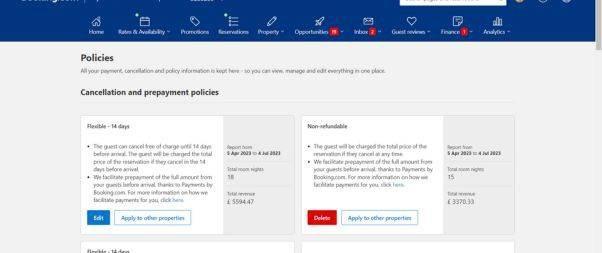
Adjust the policy settings, specifying if a free cancellation period is available and determining the charges guests will incur for cancellations or no-shows.
Read more 👉 https://strspecialist.com/manual-for-hosting-on-booking-com/
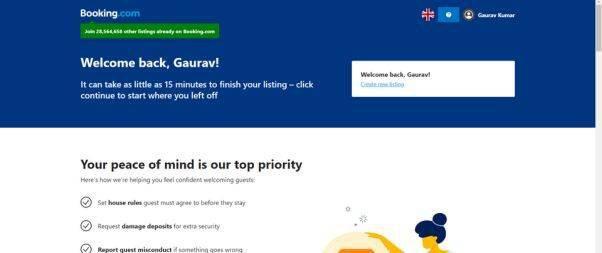
Adjust the policy settings, specifying if a free cancellation period is available and determining the charges guests will incur for cancellations or no-shows.
Read more 👉 https://strspecialist.com/manual-for-hosting-on-booking-com/
Unlike Airbnb, Booking.com does not always handle guest payments automatically.
Read the full article: Beginner’s Manual for Hosting on Booking.com
▸ https://strspecialist.com/manual-for-hosting-on-booking-com/

Have you considered the untapped potential of listing your vacation rental property on Booking.com? In this article, we’ll guide you through the benefits of embracing this platform, highlight its key distinctions from Airbnb, and provide a step-by-step process to help you successfully list your property. Get ready for a transformational journey! Why Booking.com Deserves Your Attention? With a staggering presence in over 226 countries and territories, Booking.com reigns as one of the world’s largest accommodation booking platforms. Boasting a remarkable 28 million listings, this platform attracts a vast community of travelers, resulting in over 1.5 million nightly bookings. Its availability in 43+ languages has propelled it to become the most-visited travel site globally. Unlike other platforms, Booking.com goes beyond vacation rentals, offering an extensive range of options, including hotels, vacation packages, flights, and transportation solutions. Diversify Your Audience, Boost Your Revenue By joining Booking.com, you unlock unparalleled exposure to a significantly larger audience, allowing your vacation rental property to shine amidst the competition. What sets Booking.com apart is the freedom it grants you as a property owner or host. You have the power to establish your own prices and policies, enabling you to optimize revenue and occupancy rates. Countless Airbnb hosts have embraced Booking.com, witnessing a substantial increase in their daily earnings and occupancy levels. How Booking.com Works: Unveiling the Benefits Joining Booking.com is a breeze, especially if you’re already an experienced Airbnb host. Let’s explore the benefits that await you: Flexibility: List any type of property free of charge, regardless of its size or style. Time-saving: Effortlessly import relevant details from your existing listings, saving you valuable time during the setup process. Tailor-made house rules: Set your own house rules, ensuring guests agree to them before making a booking. Multilingual support: Enjoy round-the-clock assistance in over 43 languages, providing seamless communication with guests. Property protection: Secure your investment by setting up a damage deposit, offering peace of mind and protecting your property. Enhanced communication: Guests can easily connect with you using Booking.com’s messaging system prior to confirming their reservation. Selective guest vetting: Establish specific criteria that guests must meet to book your property, such as verified phone numbers and addresses. Guest misconduct reporting: In case of a negative guest experience, you can report any misconduct to the Booking.com team and even block problematic guests. Extranet access: Benefit from the administrative dashboard, known as the Extranet, where you can manage your property effectively. On-the-go management: Utilize the Pulse mobile app to effortlessly handle reservations, check availability, and promptly respond to guest messages. Seamless integration: Connect your Booking.com account to a channel manager for streamlined management across multiple platforms. Comprehensive support: While this guide covers essential information, Booking.com offers an online Help Center with step-by-step guides and best practice tips to assist you further. How to Get Started on Booking.com? Before diving into the registration process, ensure your property is optimized for short-term rentals. Take a moment to review our guide, which will help you avoid costly mistakes and maximize your success. Now, let’s begin: Registration: Sign up on the platform by providing your first and last name, as well as your email address. Configure your personalized Extranet login and password. Prepare Property Details: Prior to listing your property, gather essential information such as the complete address, a comprehensive list of facilities and amenities, types of rooms available, and their availability status. Showcase Your Property: While at least one high-quality photo is mandatory, we recommend adding multiple captivating images that highlight your property’s unique features. Payments: Provide your preferred payment details to ensure a seamless booking process for your guests. Create Your Listing: Construct your listing by incorporating the gathered information. Once completed, submit it for approval. The Booking.com team will review your submission to ensure all required information is provided for account activation. Fine-tune Your Listing: Upon receiving the confirmation email, access the Extranet and customize your property’s availability calendar, set prices, and add any additional details or photos as required. Once satisfied, set your property to live on Booking.com. Remember, you can update your registration details at any time to keep your listing current and enticing. Unveiling the Booking.com Extranet The Extranet serves as your gateway to a wealth of information pertaining to your property. Gain access to policies, payment options, photos, descriptions, room details, rates, and reviews. Additionally, you’ll find a comprehensive record of past and future reservations, providing valuable insights into your property’s performance. Harness the power of the Extranet to set up deals and leverage analytics for enhanced decision-making. Understanding Booking.com Fees Listing your property on Booking.com incurs no upfront costs. Instead, a commission is charged for each successful booking. During the registration process, the commission percentage will be displayed at the Agreement step, varying between 10% and 25% depending on the country. The global commission rate average is 15%, and rest assured, there are no hidden costs. You won’t be charged a commission automatically for every booking. Instead, Booking.com will send you a monthly invoice via email during the first week of each month. Invoices can also be accessed in PDF format through the Extranet’s Finance tab. Payment is due within 14 days of the invoice date. For hosts using Direct Debit as their payment method, commissions will be deducted automatically from their accounts. Commissions are only applicable to confirmed stays after guests have checked out and paid. If a guest fails to arrive, and you choose to waive the fee, no commission is payable. Be sure to mark the reservation as a no-show on the Extranet or using the Pulse app. It’s important to note that commissions are charged for non-refundable bookings, irrespective of guest stays. Effortless Guest Payments Unlike Airbnb, Booking.com does not always handle guest payments automatically. Depending on your policies, you may need to collect payments from guests yourself. You have the flexibility to determine your preferred payment offers and methods. If you don’t accept credit cards, guests can pay in your local currency upon arrival or departure. For hosts accepting credit
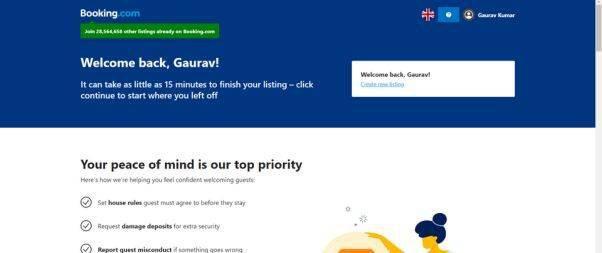
Booking.com operates on an instant booking model, confirming reservations immediately upon guest bookings.
Read the full article: Beginner’s Manual for Hosting on Booking.com
▸ https://strspecialist.com/manual-for-hosting-on-booking-com/
#VacationRentalProperty #UntappedPotential #KeyDistinctions #AirbnbHosting #AirbnbSuperhost #Airbnb #AirbnbHosting #AirbnbHostingTips #AirbnbHosts #HostingOnAirbnb #AirbnbHelp #AirbnbSuperhost
Have you considered the untapped potential of listing your vacation rental property on Booking.com? In this article, we’ll guide you through the benefits of embracing this platform, highlight its key distinctions from Airbnb, and provide a step-by-step process to help you successfully list your property. Get ready for a transformational journey! Why Booking.com Deserves Your Attention? With a staggering presence in over 226 countries and territories, Booking.com reigns as one of the world’s largest accommodation booking platforms. Boasting a remarkable 28 million listings, this platform attracts a vast community of travelers, resulting in over 1.5 million nightly bookings. Its availability in 43+ languages has propelled it to become the most-visited travel site globally. Unlike other platforms, Booking.com goes beyond vacation rentals, offering an extensive range of options, including hotels, vacation packages, flights, and transportation solutions. Diversify Your Audience, Boost Your Revenue By joining Booking.com, you unlock unparalleled exposure to a significantly larger audience, allowing your vacation rental property to shine amidst the competition. What sets Booking.com apart is the freedom it grants you as a property owner or host. You have the power to establish your own prices and policies, enabling you to optimize revenue and occupancy rates. Countless Airbnb hosts have embraced Booking.com, witnessing a substantial increase in their daily earnings and occupancy levels. How Booking.com Works: Unveiling the Benefits Joining Booking.com is a breeze, especially if you’re already an experienced Airbnb host. Let’s explore the benefits that await you: Flexibility: List any type of property free of charge, regardless of its size or style. Time-saving: Effortlessly import relevant details from your existing listings, saving you valuable time during the setup process. Tailor-made house rules: Set your own house rules, ensuring guests agree to them before making a booking. Multilingual support: Enjoy round-the-clock assistance in over 43 languages, providing seamless communication with guests. Property protection: Secure your investment by setting up a damage deposit, offering peace of mind and protecting your property. Enhanced communication: Guests can easily connect with you using Booking.com’s messaging system prior to confirming their reservation. Selective guest vetting: Establish specific criteria that guests must meet to book your property, such as verified phone numbers and addresses. Guest misconduct reporting: In case of a negative guest experience, you can report any misconduct to the Booking.com team and even block problematic guests. Extranet access: Benefit from the administrative dashboard, known as the Extranet, where you can manage your property effectively. On-the-go management: Utilize the Pulse mobile app to effortlessly handle reservations, check availability, and promptly respond to guest messages. Seamless integration: Connect your Booking.com account to a channel manager for streamlined management across multiple platforms. Comprehensive support: While this guide covers essential information, Booking.com offers an online Help Center with step-by-step guides and best practice tips to assist you further. How to Get Started on Booking.com? Before diving into the registration process, ensure your property is optimized for short-term rentals. Take a moment to review our guide, which will help you avoid costly mistakes and maximize your success. Now, let’s begin: Registration: Sign up on the platform by providing your first and last name, as well as your email address. Configure your personalized Extranet login and password. Prepare Property Details: Prior to listing your property, gather essential information such as the complete address, a comprehensive list of facilities and amenities, types of rooms available, and their availability status. Showcase Your Property: While at least one high-quality photo is mandatory, we recommend adding multiple captivating images that highlight your property’s unique features. Payments: Provide your preferred payment details to ensure a seamless booking process for your guests. Create Your Listing: Construct your listing by incorporating the gathered information. Once completed, submit it for approval. The Booking.com team will review your submission to ensure all required information is provided for account activation. Fine-tune Your Listing: Upon receiving the confirmation email, access the Extranet and customize your property’s availability calendar, set prices, and add any additional details or photos as required. Once satisfied, set your property to live on Booking.com. Remember, you can update your registration details at any time to keep your listing current and enticing. Unveiling the Booking.com Extranet The Extranet serves as your gateway to a wealth of information pertaining to your property. Gain access to policies, payment options, photos, descriptions, room details, rates, and reviews. Additionally, you’ll find a comprehensive record of past and future reservations, providing valuable insights into your property’s performance. Harness the power of the Extranet to set up deals and leverage analytics for enhanced decision-making. Understanding Booking.com Fees Listing your property on Booking.com incurs no upfront costs. Instead, a commission is charged for each successful booking. During the registration process, the commission percentage will be displayed at the Agreement step, varying between 10% and 25% depending on the country. The global commission rate average is 15%, and rest assured, there are no hidden costs. You won’t be charged a commission automatically for every booking. Instead, Booking.com will send you a monthly invoice via email during the first week of each month. Invoices can also be accessed in PDF format through the Extranet’s Finance tab. Payment is due within 14 days of the invoice date. For hosts using Direct Debit as their payment method, commissions will be deducted automatically from their accounts. Commissions are only applicable to confirmed stays after guests have checked out and paid. If a guest fails to arrive, and you choose to waive the fee, no commission is payable. Be sure to mark the reservation as a no-show on the Extranet or using the Pulse app. It’s important to note that commissions are charged for non-refundable bookings, irrespective of guest stays. Effortless Guest Payments Unlike Airbnb, Booking.com does not always handle guest payments automatically. Depending on your policies, you may need to collect payments from guests yourself. You have the flexibility to determine your preferred payment offers and methods. If you don’t accept credit cards, guests can pay in your local currency upon arrival or departure. For hosts accepting credit
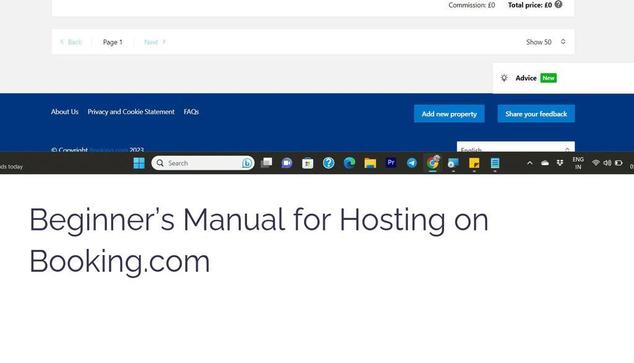
Additionally, you'll find a comprehensive record of past and future reservations, providing valuable insights into your property's performance.
Read more 👉 https://strspecialist.com/manual-for-hosting-on-booking-com/
#VacationRentalProperty #UntappedPotential #KeyDistinctions #AirbnbHosting #AirbnbSuperhost #Airbnb #AirbnbHosting #AirbnbHostingTips #AirbnbHosts #HostingOnAirbnb #AirbnbHelp #AirbnbSuperhost
Have you considered the untapped potential of listing your vacation rental property on Booking.com? In this article, we’ll guide you through the benefits of embracing this platform, highlight its key distinctions from Airbnb, and provide a step-by-step process to help you successfully list your property. Get ready for a transformational journey! Why Booking.com Deserves Your Attention? With a staggering presence in over 226 countries and territories, Booking.com reigns as one of the world’s largest accommodation booking platforms. Boasting a remarkable 28 million listings, this platform attracts a vast community of travelers, resulting in over 1.5 million nightly bookings. Its availability in 43+ languages has propelled it to become the most-visited travel site globally. Unlike other platforms, Booking.com goes beyond vacation rentals, offering an extensive range of options, including hotels, vacation packages, flights, and transportation solutions. Diversify Your Audience, Boost Your Revenue By joining Booking.com, you unlock unparalleled exposure to a significantly larger audience, allowing your vacation rental property to shine amidst the competition. What sets Booking.com apart is the freedom it grants you as a property owner or host. You have the power to establish your own prices and policies, enabling you to optimize revenue and occupancy rates. Countless Airbnb hosts have embraced Booking.com, witnessing a substantial increase in their daily earnings and occupancy levels. How Booking.com Works: Unveiling the Benefits Joining Booking.com is a breeze, especially if you’re already an experienced Airbnb host. Let’s explore the benefits that await you: Flexibility: List any type of property free of charge, regardless of its size or style. Time-saving: Effortlessly import relevant details from your existing listings, saving you valuable time during the setup process. Tailor-made house rules: Set your own house rules, ensuring guests agree to them before making a booking. Multilingual support: Enjoy round-the-clock assistance in over 43 languages, providing seamless communication with guests. Property protection: Secure your investment by setting up a damage deposit, offering peace of mind and protecting your property. Enhanced communication: Guests can easily connect with you using Booking.com’s messaging system prior to confirming their reservation. Selective guest vetting: Establish specific criteria that guests must meet to book your property, such as verified phone numbers and addresses. Guest misconduct reporting: In case of a negative guest experience, you can report any misconduct to the Booking.com team and even block problematic guests. Extranet access: Benefit from the administrative dashboard, known as the Extranet, where you can manage your property effectively. On-the-go management: Utilize the Pulse mobile app to effortlessly handle reservations, check availability, and promptly respond to guest messages. Seamless integration: Connect your Booking.com account to a channel manager for streamlined management across multiple platforms. Comprehensive support: While this guide covers essential information, Booking.com offers an online Help Center with step-by-step guides and best practice tips to assist you further. How to Get Started on Booking.com? Before diving into the registration process, ensure your property is optimized for short-term rentals. Take a moment to review our guide, which will help you avoid costly mistakes and maximize your success. Now, let’s begin: Registration: Sign up on the platform by providing your first and last name, as well as your email address. Configure your personalized Extranet login and password. Prepare Property Details: Prior to listing your property, gather essential information such as the complete address, a comprehensive list of facilities and amenities, types of rooms available, and their availability status. Showcase Your Property: While at least one high-quality photo is mandatory, we recommend adding multiple captivating images that highlight your property’s unique features. Payments: Provide your preferred payment details to ensure a seamless booking process for your guests. Create Your Listing: Construct your listing by incorporating the gathered information. Once completed, submit it for approval. The Booking.com team will review your submission to ensure all required information is provided for account activation. Fine-tune Your Listing: Upon receiving the confirmation email, access the Extranet and customize your property’s availability calendar, set prices, and add any additional details or photos as required. Once satisfied, set your property to live on Booking.com. Remember, you can update your registration details at any time to keep your listing current and enticing. Unveiling the Booking.com Extranet The Extranet serves as your gateway to a wealth of information pertaining to your property. Gain access to policies, payment options, photos, descriptions, room details, rates, and reviews. Additionally, you’ll find a comprehensive record of past and future reservations, providing valuable insights into your property’s performance. Harness the power of the Extranet to set up deals and leverage analytics for enhanced decision-making. Understanding Booking.com Fees Listing your property on Booking.com incurs no upfront costs. Instead, a commission is charged for each successful booking. During the registration process, the commission percentage will be displayed at the Agreement step, varying between 10% and 25% depending on the country. The global commission rate average is 15%, and rest assured, there are no hidden costs. You won’t be charged a commission automatically for every booking. Instead, Booking.com will send you a monthly invoice via email during the first week of each month. Invoices can also be accessed in PDF format through the Extranet’s Finance tab. Payment is due within 14 days of the invoice date. For hosts using Direct Debit as their payment method, commissions will be deducted automatically from their accounts. Commissions are only applicable to confirmed stays after guests have checked out and paid. If a guest fails to arrive, and you choose to waive the fee, no commission is payable. Be sure to mark the reservation as a no-show on the Extranet or using the Pulse app. It’s important to note that commissions are charged for non-refundable bookings, irrespective of guest stays. Effortless Guest Payments Unlike Airbnb, Booking.com does not always handle guest payments automatically. Depending on your policies, you may need to collect payments from guests yourself. You have the flexibility to determine your preferred payment offers and methods. If you don’t accept credit cards, guests can pay in your local currency upon arrival or departure. For hosts accepting credit
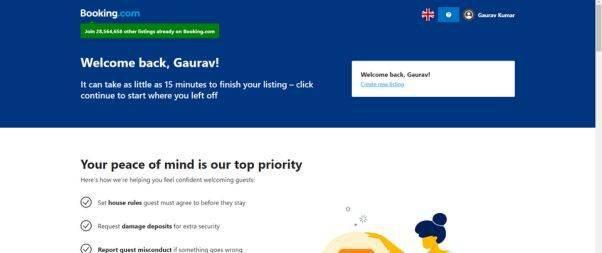
To list your property, you'll need to create an account on Booking.com's partner portal, provide detailed information about your property, upload high-quality photos, set your prices, and then get verified by the platform.
Read more 👉 https://strspecialist.com/manual-for-hosting-on-booking-com/
#VacationRentalProperty #UntappedPotential #KeyDistinctions #AirbnbHosting #AirbnbSuperhost #Airbnb #AirbnbHosting #AirbnbHostingTips #AirbnbHosts #HostingOnAirbnb #AirbnbHelp #AirbnbSuperhost
Have you considered the untapped potential of listing your vacation rental property on Booking.com? In this article, we’ll guide you through the benefits of embracing this platform, highlight its key distinctions from Airbnb, and provide a step-by-step process to help you successfully list your property. Get ready for a transformational journey! Why Booking.com Deserves Your Attention? With a staggering presence in over 226 countries and territories, Booking.com reigns as one of the world’s largest accommodation booking platforms. Boasting a remarkable 28 million listings, this platform attracts a vast community of travelers, resulting in over 1.5 million nightly bookings. Its availability in 43+ languages has propelled it to become the most-visited travel site globally. Unlike other platforms, Booking.com goes beyond vacation rentals, offering an extensive range of options, including hotels, vacation packages, flights, and transportation solutions. Diversify Your Audience, Boost Your Revenue By joining Booking.com, you unlock unparalleled exposure to a significantly larger audience, allowing your vacation rental property to shine amidst the competition. What sets Booking.com apart is the freedom it grants you as a property owner or host. You have the power to establish your own prices and policies, enabling you to optimize revenue and occupancy rates. Countless Airbnb hosts have embraced Booking.com, witnessing a substantial increase in their daily earnings and occupancy levels. How Booking.com Works: Unveiling the Benefits Joining Booking.com is a breeze, especially if you’re already an experienced Airbnb host. Let’s explore the benefits that await you: Flexibility: List any type of property free of charge, regardless of its size or style. Time-saving: Effortlessly import relevant details from your existing listings, saving you valuable time during the setup process. Tailor-made house rules: Set your own house rules, ensuring guests agree to them before making a booking. Multilingual support: Enjoy round-the-clock assistance in over 43 languages, providing seamless communication with guests. Property protection: Secure your investment by setting up a damage deposit, offering peace of mind and protecting your property. Enhanced communication: Guests can easily connect with you using Booking.com’s messaging system prior to confirming their reservation. Selective guest vetting: Establish specific criteria that guests must meet to book your property, such as verified phone numbers and addresses. Guest misconduct reporting: In case of a negative guest experience, you can report any misconduct to the Booking.com team and even block problematic guests. Extranet access: Benefit from the administrative dashboard, known as the Extranet, where you can manage your property effectively. On-the-go management: Utilize the Pulse mobile app to effortlessly handle reservations, check availability, and promptly respond to guest messages. Seamless integration: Connect your Booking.com account to a channel manager for streamlined management across multiple platforms. Comprehensive support: While this guide covers essential information, Booking.com offers an online Help Center with step-by-step guides and best practice tips to assist you further. How to Get Started on Booking.com? Before diving into the registration process, ensure your property is optimized for short-term rentals. Take a moment to review our guide, which will help you avoid costly mistakes and maximize your success. Now, let’s begin: Registration: Sign up on the platform by providing your first and last name, as well as your email address. Configure your personalized Extranet login and password. Prepare Property Details: Prior to listing your property, gather essential information such as the complete address, a comprehensive list of facilities and amenities, types of rooms available, and their availability status. Showcase Your Property: While at least one high-quality photo is mandatory, we recommend adding multiple captivating images that highlight your property’s unique features. Payments: Provide your preferred payment details to ensure a seamless booking process for your guests. Create Your Listing: Construct your listing by incorporating the gathered information. Once completed, submit it for approval. The Booking.com team will review your submission to ensure all required information is provided for account activation. Fine-tune Your Listing: Upon receiving the confirmation email, access the Extranet and customize your property’s availability calendar, set prices, and add any additional details or photos as required. Once satisfied, set your property to live on Booking.com. Remember, you can update your registration details at any time to keep your listing current and enticing. Unveiling the Booking.com Extranet The Extranet serves as your gateway to a wealth of information pertaining to your property. Gain access to policies, payment options, photos, descriptions, room details, rates, and reviews. Additionally, you’ll find a comprehensive record of past and future reservations, providing valuable insights into your property’s performance. Harness the power of the Extranet to set up deals and leverage analytics for enhanced decision-making. Understanding Booking.com Fees Listing your property on Booking.com incurs no upfront costs. Instead, a commission is charged for each successful booking. During the registration process, the commission percentage will be displayed at the Agreement step, varying between 10% and 25% depending on the country. The global commission rate average is 15%, and rest assured, there are no hidden costs. You won’t be charged a commission automatically for every booking. Instead, Booking.com will send you a monthly invoice via email during the first week of each month. Invoices can also be accessed in PDF format through the Extranet’s Finance tab. Payment is due within 14 days of the invoice date. For hosts using Direct Debit as their payment method, commissions will be deducted automatically from their accounts. Commissions are only applicable to confirmed stays after guests have checked out and paid. If a guest fails to arrive, and you choose to waive the fee, no commission is payable. Be sure to mark the reservation as a no-show on the Extranet or using the Pulse app. It’s important to note that commissions are charged for non-refundable bookings, irrespective of guest stays. Effortless Guest Payments Unlike Airbnb, Booking.com does not always handle guest payments automatically. Depending on your policies, you may need to collect payments from guests yourself. You have the flexibility to determine your preferred payment offers and methods. If you don’t accept credit cards, guests can pay in your local currency upon arrival or departure. For hosts accepting credit
Beginner’s Manual for Hosting on Booking.com: https://strspecialist.com/manual-for-hosting-on-booking-com/
#VacationRentalProperty #UntappedPotential #KeyDistinctions #AirbnbHosting #AirbnbSuperhost #Airbnb #AirbnbHosting #AirbnbHostingTips #AirbnbHosts #HostingOnAirbnb #AirbnbHelp #AirbnbSuperhost
Have you considered the untapped potential of listing your vacation rental property on Booking.com? In this article, we’ll guide you through the benefits of embracing this platform, highlight its key distinctions from Airbnb, and provide a step-by-step process to help you successfully list your property. Get ready for a transformational journey! Why Booking.com Deserves Your Attention? With a staggering presence in over 226 countries and territories, Booking.com reigns as one of the world’s largest accommodation booking platforms. Boasting a remarkable 28 million listings, this platform attracts a vast community of travelers, resulting in over 1.5 million nightly bookings. Its availability in 43+ languages has propelled it to become the most-visited travel site globally. Unlike other platforms, Booking.com goes beyond vacation rentals, offering an extensive range of options, including hotels, vacation packages, flights, and transportation solutions. Diversify Your Audience, Boost Your Revenue By joining Booking.com, you unlock unparalleled exposure to a significantly larger audience, allowing your vacation rental property to shine amidst the competition. What sets Booking.com apart is the freedom it grants you as a property owner or host. You have the power to establish your own prices and policies, enabling you to optimize revenue and occupancy rates. Countless Airbnb hosts have embraced Booking.com, witnessing a substantial increase in their daily earnings and occupancy levels. How Booking.com Works: Unveiling the Benefits Joining Booking.com is a breeze, especially if you’re already an experienced Airbnb host. Let’s explore the benefits that await you: Flexibility: List any type of property free of charge, regardless of its size or style. Time-saving: Effortlessly import relevant details from your existing listings, saving you valuable time during the setup process. Tailor-made house rules: Set your own house rules, ensuring guests agree to them before making a booking. Multilingual support: Enjoy round-the-clock assistance in over 43 languages, providing seamless communication with guests. Property protection: Secure your investment by setting up a damage deposit, offering peace of mind and protecting your property. Enhanced communication: Guests can easily connect with you using Booking.com’s messaging system prior to confirming their reservation. Selective guest vetting: Establish specific criteria that guests must meet to book your property, such as verified phone numbers and addresses. Guest misconduct reporting: In case of a negative guest experience, you can report any misconduct to the Booking.com team and even block problematic guests. Extranet access: Benefit from the administrative dashboard, known as the Extranet, where you can manage your property effectively. On-the-go management: Utilize the Pulse mobile app to effortlessly handle reservations, check availability, and promptly respond to guest messages. Seamless integration: Connect your Booking.com account to a channel manager for streamlined management across multiple platforms. Comprehensive support: While this guide covers essential information, Booking.com offers an online Help Center with step-by-step guides and best practice tips to assist you further. How to Get Started on Booking.com? Before diving into the registration process, ensure your property is optimized for short-term rentals. Take a moment to review our guide, which will help you avoid costly mistakes and maximize your success. Now, let’s begin: Registration: Sign up on the platform by providing your first and last name, as well as your email address. Configure your personalized Extranet login and password. Prepare Property Details: Prior to listing your property, gather essential information such as the complete address, a comprehensive list of facilities and amenities, types of rooms available, and their availability status. Showcase Your Property: While at least one high-quality photo is mandatory, we recommend adding multiple captivating images that highlight your property’s unique features. Payments: Provide your preferred payment details to ensure a seamless booking process for your guests. Create Your Listing: Construct your listing by incorporating the gathered information. Once completed, submit it for approval. The Booking.com team will review your submission to ensure all required information is provided for account activation. Fine-tune Your Listing: Upon receiving the confirmation email, access the Extranet and customize your property’s availability calendar, set prices, and add any additional details or photos as required. Once satisfied, set your property to live on Booking.com. Remember, you can update your registration details at any time to keep your listing current and enticing. Unveiling the Booking.com Extranet The Extranet serves as your gateway to a wealth of information pertaining to your property. Gain access to policies, payment options, photos, descriptions, room details, rates, and reviews. Additionally, you’ll find a comprehensive record of past and future reservations, providing valuable insights into your property’s performance. Harness the power of the Extranet to set up deals and leverage analytics for enhanced decision-making. Understanding Booking.com Fees Listing your property on Booking.com incurs no upfront costs. Instead, a commission is charged for each successful booking. During the registration process, the commission percentage will be displayed at the Agreement step, varying between 10% and 25% depending on the country. The global commission rate average is 15%, and rest assured, there are no hidden costs. You won’t be charged a commission automatically for every booking. Instead, Booking.com will send you a monthly invoice via email during the first week of each month. Invoices can also be accessed in PDF format through the Extranet’s Finance tab. Payment is due within 14 days of the invoice date. For hosts using Direct Debit as their payment method, commissions will be deducted automatically from their accounts. Commissions are only applicable to confirmed stays after guests have checked out and paid. If a guest fails to arrive, and you choose to waive the fee, no commission is payable. Be sure to mark the reservation as a no-show on the Extranet or using the Pulse app. It’s important to note that commissions are charged for non-refundable bookings, irrespective of guest stays. Effortless Guest Payments Unlike Airbnb, Booking.com does not always handle guest payments automatically. Depending on your policies, you may need to collect payments from guests yourself. You have the flexibility to determine your preferred payment offers and methods. If you don’t accept credit cards, guests can pay in your local currency upon arrival or departure. For hosts accepting credit
Payments: Provide your preferred payment details to ensure a seamless booking process for your guests.
Read more 👉 https://strspecialist.com/manual-for-hosting-on-booking-com/
#VacationRentalProperty #UntappedPotential #KeyDistinctions #AirbnbHosting #AirbnbSuperhost #Airbnb #AirbnbHosting #AirbnbHostingTips #AirbnbHosts #HostingOnAirbnb #AirbnbHelp #AirbnbSuperhost

Have you considered the untapped potential of listing your vacation rental property on Booking.com? In this article, we’ll guide you through the benefits of embracing this platform, highlight its key distinctions from Airbnb, and provide a step-by-step process to help you successfully list your property. Get ready for a transformational journey! Why Booking.com Deserves Your Attention? With a staggering presence in over 226 countries and territories, Booking.com reigns as one of the world’s largest accommodation booking platforms. Boasting a remarkable 28 million listings, this platform attracts a vast community of travelers, resulting in over 1.5 million nightly bookings. Its availability in 43+ languages has propelled it to become the most-visited travel site globally. Unlike other platforms, Booking.com goes beyond vacation rentals, offering an extensive range of options, including hotels, vacation packages, flights, and transportation solutions. Diversify Your Audience, Boost Your Revenue By joining Booking.com, you unlock unparalleled exposure to a significantly larger audience, allowing your vacation rental property to shine amidst the competition. What sets Booking.com apart is the freedom it grants you as a property owner or host. You have the power to establish your own prices and policies, enabling you to optimize revenue and occupancy rates. Countless Airbnb hosts have embraced Booking.com, witnessing a substantial increase in their daily earnings and occupancy levels. How Booking.com Works: Unveiling the Benefits Joining Booking.com is a breeze, especially if you’re already an experienced Airbnb host. Let’s explore the benefits that await you: Flexibility: List any type of property free of charge, regardless of its size or style. Time-saving: Effortlessly import relevant details from your existing listings, saving you valuable time during the setup process. Tailor-made house rules: Set your own house rules, ensuring guests agree to them before making a booking. Multilingual support: Enjoy round-the-clock assistance in over 43 languages, providing seamless communication with guests. Property protection: Secure your investment by setting up a damage deposit, offering peace of mind and protecting your property. Enhanced communication: Guests can easily connect with you using Booking.com’s messaging system prior to confirming their reservation. Selective guest vetting: Establish specific criteria that guests must meet to book your property, such as verified phone numbers and addresses. Guest misconduct reporting: In case of a negative guest experience, you can report any misconduct to the Booking.com team and even block problematic guests. Extranet access: Benefit from the administrative dashboard, known as the Extranet, where you can manage your property effectively. On-the-go management: Utilize the Pulse mobile app to effortlessly handle reservations, check availability, and promptly respond to guest messages. Seamless integration: Connect your Booking.com account to a channel manager for streamlined management across multiple platforms. Comprehensive support: While this guide covers essential information, Booking.com offers an online Help Center with step-by-step guides and best practice tips to assist you further. How to Get Started on Booking.com? Before diving into the registration process, ensure your property is optimized for short-term rentals. Take a moment to review our guide, which will help you avoid costly mistakes and maximize your success. Now, let’s begin: Registration: Sign up on the platform by providing your first and last name, as well as your email address. Configure your personalized Extranet login and password. Prepare Property Details: Prior to listing your property, gather essential information such as the complete address, a comprehensive list of facilities and amenities, types of rooms available, and their availability status. Showcase Your Property: While at least one high-quality photo is mandatory, we recommend adding multiple captivating images that highlight your property’s unique features. Payments: Provide your preferred payment details to ensure a seamless booking process for your guests. Create Your Listing: Construct your listing by incorporating the gathered information. Once completed, submit it for approval. The Booking.com team will review your submission to ensure all required information is provided for account activation. Fine-tune Your Listing: Upon receiving the confirmation email, access the Extranet and customize your property’s availability calendar, set prices, and add any additional details or photos as required. Once satisfied, set your property to live on Booking.com. Remember, you can update your registration details at any time to keep your listing current and enticing. Unveiling the Booking.com Extranet The Extranet serves as your gateway to a wealth of information pertaining to your property. Gain access to policies, payment options, photos, descriptions, room details, rates, and reviews. Additionally, you’ll find a comprehensive record of past and future reservations, providing valuable insights into your property’s performance. Harness the power of the Extranet to set up deals and leverage analytics for enhanced decision-making. Understanding Booking.com Fees Listing your property on Booking.com incurs no upfront costs. Instead, a commission is charged for each successful booking. During the registration process, the commission percentage will be displayed at the Agreement step, varying between 10% and 25% depending on the country. The global commission rate average is 15%, and rest assured, there are no hidden costs. You won’t be charged a commission automatically for every booking. Instead, Booking.com will send you a monthly invoice via email during the first week of each month. Invoices can also be accessed in PDF format through the Extranet’s Finance tab. Payment is due within 14 days of the invoice date. For hosts using Direct Debit as their payment method, commissions will be deducted automatically from their accounts. Commissions are only applicable to confirmed stays after guests have checked out and paid. If a guest fails to arrive, and you choose to waive the fee, no commission is payable. Be sure to mark the reservation as a no-show on the Extranet or using the Pulse app. It’s important to note that commissions are charged for non-refundable bookings, irrespective of guest stays. Effortless Guest Payments Unlike Airbnb, Booking.com does not always handle guest payments automatically. Depending on your policies, you may need to collect payments from guests yourself. You have the flexibility to determine your preferred payment offers and methods. If you don’t accept credit cards, guests can pay in your local currency upon arrival or departure. For hosts accepting credit