Here is an unexpected final to the story:

A replacement #Vaio Z11VN arrived yesterday, so I decided to put the old broken one together.

Having put everything back:

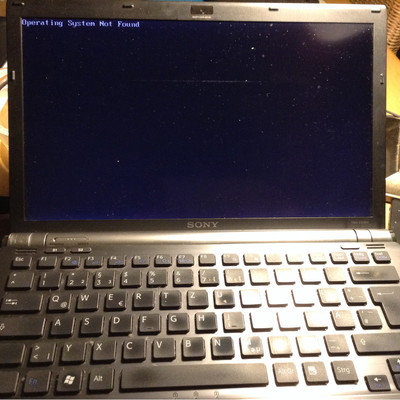
The laptop starts up
#vaiotale #howibrokemylaptop

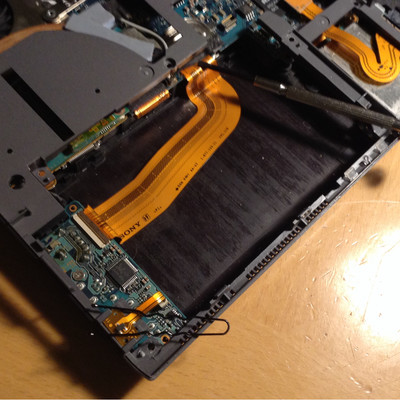
Could this little black part pointed by a hairpin be a lid sensor? Keyboard panel still comes on top of this but maybe that thing can sense the pressure. (It looks similar to the sensor I've had on SZ, different location though). An FEC connection goes in to the place pointed to by a screwdriver, with that stupid glued attachment I mentioned before. I think it should work disconnected for testing, but who knows? This little board has also other non-essential things #VAIOtale #HowIBrokeMyLaptop

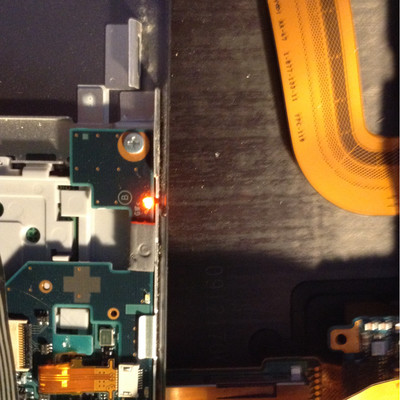
Small update: having attached the keyboard (which also contains wireless, HDD and battery LEDs) it turns out that after plugging the battery and having applied AC power, the charging LED is glowing orange-red! So at least charging circuitry is somehow responding.
#VAIOtale #HowIBrokeMyLaptop

If anyone knows how to make a cable that matches that connector I would be grateful. Learning the embedded controller internals may lead to many interesting discoveries and improvements. I think the counterpart plus is easy available, I have no idea how to make a working cable out of this. Previous post includes photo and schematics of the connector. #VAIOtale

And, how my #HowIBrokeMyLaptop experience shows, I should stay away from hardware work :)
Even if this, possibly non-essential, connector is broken, it will reduce the utility of this box (yes I know I can tether to an iPad or my feature phone). But there is another piece in those two models that caught my attention. #VAIOtale #HowIBrokeMyLaptop