
 AAPL Ch.
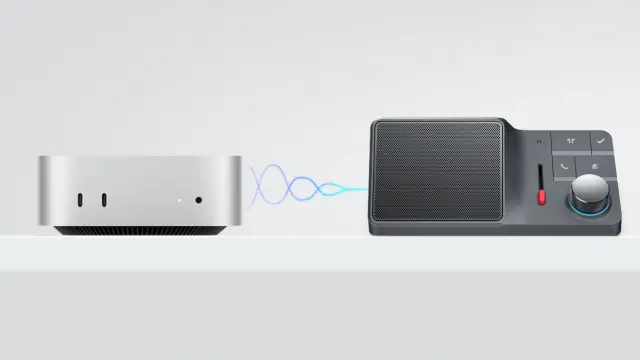
HiDock、Mac miniのマイク・スピーカーとしてもぴったりな「HiDock H1 Lite AIスピーカーフォン」を発売。
https://applech2.com/archives/20260609-hidock-h1-lite-ai-speakerphone.html
 Max
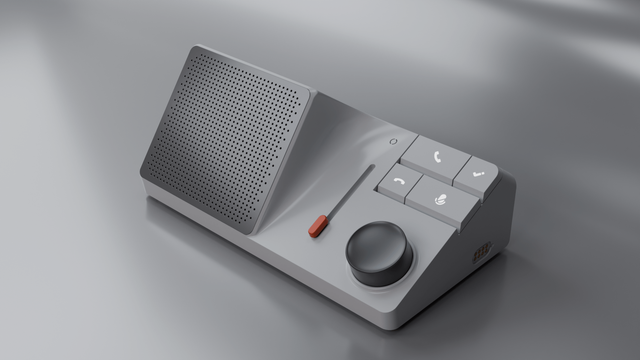
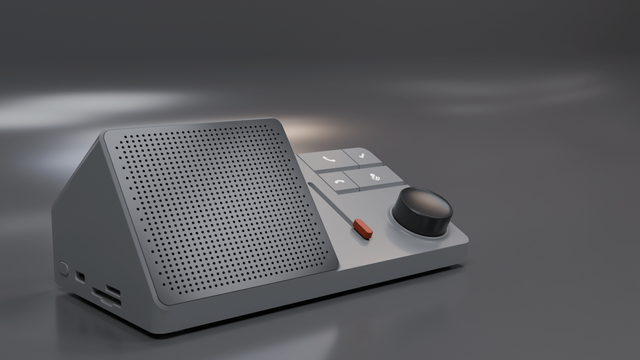
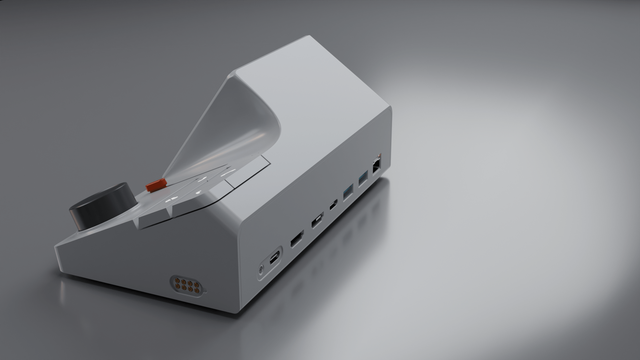
MaxSo this is a thing called the HiDock H1. Basically a AI IOT that eats up desk space while making look part of space command. Now where the real value is isn't the ai part that records everything you do, it's the 11 crazy ports for attaching any number of computer stuff so it can read all your data. I jokingly said to my wife I wanted to add a 9pin port and a Nes cart slot. She suggested a Sony minidisk and / or a ipod dock. Regardless it's a real thing, you can buy and though it seems silly it looks amazing. Love that crazy curve, it was very hard to recreate. #hidock #iot #plasticity #blender #coffee
 Glenn
Glenn Marcel SIneM(S)US
Tool-Tipp für den Mac: #HiDock passt Dockeinstellungen ans Display an | heise online https://www.heise.de/news/Tool-Tipp-fuer-den-Mac-HiDock-passt-Dockeinstellungen-ans-Display-an-7470892.html #macOS #ToolTipp

 Mark Gardner
@rafa Is #HiDock supposed to automatically change the dock configuration when attaching/detaching from external displays, or do I have to hit “Apply Dock Settings” from the menu bar icon each time? If the latter, consider this a feature request.
At the moment, I’m using a shortcut triggered with Shortery (https://www.lgerckens.de/shortery/) to open the HiDock window, but that’s not ideal.

 appgefahren.de - Tech-Blog
Seid ihr #MacBook-User und verwendet verschiedene Displays mit eurem Gerät?
Dann solltet ihr euch unbedingt das kleine aber feine Tool #HiDock ansehen, das das Dock an eure individuellen Presets anpasst. Der Download ist kostenlos.
Mehr zu HiDock bei uns im Blog:

 ifun
ifunHiDock knüpft Dock-Einstellungen an Ausgangsbildschirm
Die Mac-Anwendung HiDock richtet sich an Nutzer, die ihren Rechner mit unterschiedlichen Bildschirm-Konfigurationen verwenden und bietet die Möglichkeit, die Vorgaben für die Darstellung das macOS-Dock abhängig vom vom verbundenen Bildschirm zu setzen. Hinter der Anwendung steht der uns bereits durch seine Mac-App Hand Mirror bekannte Entwickler Rafael Conde, der HiDock offenbar in erster Linie aus […]
https://www.ifun.de/hidock-knuepft-dock-einstellungen-an-ausgangsbildschirm-202707/

HiDock knüpft Dock-Einstellungen an Ausgangsbildschirm
Die Mac-Anwendung HiDock richtet sich an Nutzer, die ihren Rechner mit unterschiedlichen Bildschirm-Konfigurationen verwenden und bietet die Möglichkeit, die Vorgaben für die Darstellung das macOS-Dock abhängig vom vom verbundenen Bildschirm zu setzen. Hinter der Anwendung steht der uns bereits durch seine Mac-App Hand Mirror bekannte Entwickler Rafael Conde, der HiDock offenbar in erster Linie aus […]
@rafa And #HiDock is live in #Homebrew already: https://github.com/Homebrew/homebrew-cask/blob/master/Casks/hidock.rb
You can install it from the terminal now:
```
brew install hidock
```
Why? So you can quickly download, install, and update the #macOS software you need without having to individually download and run through different install processes from a bunch of different websites. (Yours is really nice, though!)
Plus it makes setting up a new #Mac with all your favorites a snap, as @caseyliss wrote here: https://www.caseyliss.com/2019/10/8/brew-bundle

@rafa Nice! I like it so much I've submitted #HiDock for addition as a #macOS #Homebrew Cask: https://github.com/Homebrew/homebrew-cask/pull/139858
