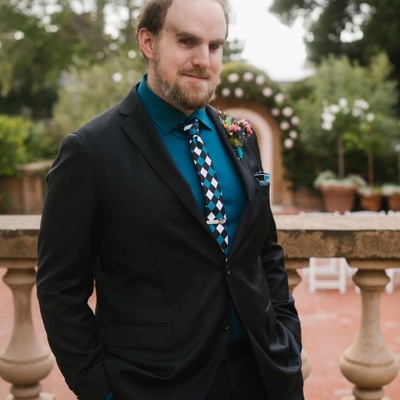
 Marco Salsiccia
I had the privilege of being on Dave William's Raising the Dots podcast, talking about the origins of #BlindSVG, how I got into #TactileGraphics, what our little organic collective of #Blind creatives is up to in teaching drawing and art, the TADA curriculum, and more! Listen to our journey here: https://podcasts.apple.com/us/podcast/raising-the-dots/id1824662653?i=1000740867328

Worked on a fun little update to #BlindSVG today! I added a little Google Translate widget to the site header, kept the vertical select menu and hid the rest of the widget elements I didn't need, and now folks can translate all the pages into their preferred language when learning how to handcode #SVG for #TactileGraphics. Hoping this will help spread this skillset to even more #Blind designers around the world. https://blindsvg.com/
If you'd like to hear about what @ChanceyFleet and I have been up to in the world of #TactileGraphics, our backstories, tactile drawing and art exploration, how #BlindSVG came to be, and where we hope to take all of this, check out our interview on the #ATBanter podcast! https://atbanter.com/2025/11/19/at-banter-episode-444-getting-a-feel-for-art-with-blindsvg/

I was doing QBO training yesterday and was testing out uploading a logo for a QuickBooks company. Popped open #BlindSVG, grabbed my #SVG setup code and put it into TextEdit, coded a few shapes, installed the librsvg package from brew in Terminal, used rsvg-convert to export my logo out as a PNG via the command line, and got this all done and uploaded in 2 minutes. All while sharing my screen with my sighted trainer who looked on in stunned silence, wowed at my process. #BlindDesign
For anyone creating #TactileGraphics either visually or nonvisually, I've posted hex color values up on #BlindSVG which you can use to set specific dot heights when outputting on a ViewPlus embosser, or potentially any other embosser that has multiple dot heights, or even a tactile display like the Graffiti. Thanks to Naomi Rosenberg from the MAD Lab at the Lighthouse for the Blind in San Francisco for these values! #Blind #SVG https://blindsvg.com/pages/styling/#tiger
This fun little test scene is using #SVG textPath elements to make an arching caterpillar, some bees, and a trail of ants coming out of an anthill. Except all the bugs are made out of #braille that spells out the type of bug it's making up. Using the Braille36 Tiger font and using Unicode Braille Pattern characters for the braille itself to be visifle and embossable. It's really fun reading the braille in a non-standard way around the paper! #Blind #TactileGraphics #BlindSVG
Started messing with the CSS prefers-color-scheme media query last night, and updated #BlindSVG to support #DarkMode. The paragraph text has been altered slightly in both light and dark modes to reduce eyestrain, all of the #SVG graphics have a light background in dark mode to preserve good color contrast across the site, and just dialed it in after asking ChatGPT for color recommendations and constant testing and retesting with AXE Dev Tools. Go check it out! https://blindsvg.com