 Stephen Robles
📺 Turns out, your iPhone is really good and surfacing photos for Memories, Widgets, and more…but you need to do this first: https://youtu.be/QXgV5CmmnQo?si=T7AU17mKaIwo-tbJ

What Apple Still Gets Wrong About Watch Faces: https://www.macsparky.com/blog/2026/05/what-apple-still-gets-wrong-about-watch-faces/
I’ve been wearing an Apple Watch since 2015. The face problem hasn’t changed. That sounds like a complaint, and it is, but I want to be specific about it. The Apple Watch has changed enormously over ten years. The hardware is faster. The health features have saved lives. The battery on my Ultra runs for... Continue reading →
The post What Apple Still Gets Wron...
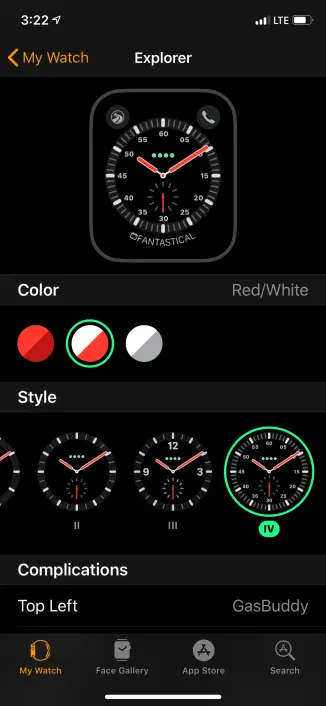
I’ve been wearing an Apple Watch since 2015. The face problem hasn’t changed. That sounds like a complaint, and it is, but I want to be specific about it. The Apple Watch has changed enormously over ten years. The hardware is faster. The health features have saved lives. The battery on my Ultra runs for... Continue reading →
We've got another installment of the long-running Tiny Mac Tips series. Show Inspector, Smart Folders (aka Smart Searches) and why you'd want them, fun with tabs in Finder & Safari, how to embiggen text windows in Safari, and use Terminal to pop up a quick calendar.
https://www.podfeet.com/blog/2026/05/tiny-mac-tips-part-eleven/

Jump to Tips Get Info vs. Show Inspector Smart Searches, aka Smart Folders Fun with Tabs Embiggen Text Windows in Web Forms in Safari Terminal to See a Calendar I’m back with Part 10 of Tiny Mac Tips. This is an ongoing series I started in order to teach Jill from the Northwoods how to […]
I hope that if you’re new to the Mac, this article will help you appreciate the lowly Get Info window. If you’re a seasoned veteran, I hope you get smug satisfaction saying to yourself, “I knew that!” … but maybe one or two small things will be new to you.
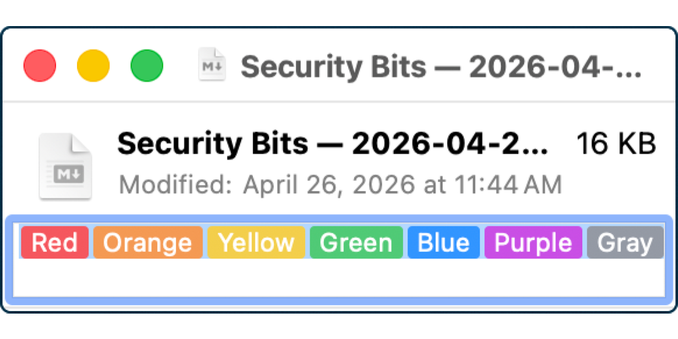
Most of you probably know that if you want to know more about a file in macOS, you can select the file and from the menu bar select File → Get Info. If you’re a keyboard shortcut person, ⌘I opens the Get Info window. Well, actually, ⌘I opens Get Info whether you’re a keyboard junkie […]

 MacSparky
 Marked 3
 eabolden



 podfeet
 9to5Mac