https://toobnix.org/w/752ix2RNx5BijosuYtSGCv #archive
In about 24 hours from this toot
@oantolin
https://www.matem.unam.mx/~omar/
https://github.com/oantolin/embark
will be on the Tuesday-night-in-the-Americas #lispyGopherClimate on anonradio (archive still https://toobnix.org/a/screwtape/videos ) to talk about

#emacs #embark <edit>

- actually, I am not a user (yet) but I am interested in other #lisp community takes on embark's #DWIM plementation (well known in #interlisp https://interlisp.org/software/using-medley/#getting-started for example). The theme viz @chiply last weekcont.


@oantolin @chiply alright, it is that time!

https://toobnix.org/w/752ix2RNx5BijosuYtSGCv New extended cut archive !

#Live #interview with Omar about #emacs #embark + #lisp ..

#RSS subscribe to the recent #archive https://toobnix.org/feeds/videos.xml?accountId=580185 #peertube ! (I am told "use the peertube app").

#climateCrisis #haiku from @kentpitman and slak of #lambdaMOO . #chat in https://lambda.moo.mud.org/ as always using your favourite #mud client !

#lispGames #springLispGameJam @mdhughes

@nosrednayduj is busy squaredancing tonight.

#Emacs #Embark with Omar Antolin, Ramin Honary and Kent Pitman #lisp and more #interview #lispyGopherClimate

PeerTube
@oantolin
By the way, can one view emacs as having a topological model? Or is this an even worse question than what-are-things-like-climates-like-topologically?
@northernlights @chiply @kentpitman @mdhughes @nosrednayduj

@oantolin
Another thing I didn't get into expanding on was that a lot of your descriptions of mouse useage and menus and what are called in lisp sensitive-inferiors and so forth is that they are I think very similar to classical lisp useages - and besides, embark-DWIM - are you explicitly pulling things out of lisp's history or is it kind of a coincidence or what?

@northernlights @chiply @kentpitman @mdhughes @nosrednayduj

@screwlisp I wasn't explicitly drawing on Lisp tradition, because sadly I'm pretty ignorant of it. But embark-act should be familiar to users of Microsoft Windows or GNU/Linux: both of those operating system have stuff on the screen that you can click on with the mouse to get a menu of applicable actions. On my (Android) phone if I long-press on a thing many apps also offer me a menu of applicable actions. Embark is just a keyboard-driven version of this. (Since this context menu idea is so ubiquitous in computer usage, I confess I'm a little confused about what makes embark feel unfamiliar to people).

I don't know the origin of that UI idea, but it certainly must be significantly older than either Windows or Linux. If I had to guess, my guess would be Smalltalk at Xerox Palo Alto.
@northernlights @chiply @kentpitman @mdhughes @nosrednayduj

@oantolin @screwlisp @northernlights @chiply @kentpitman @nosrednayduj
That's why I linked the Doug Engelbart NLS demo (1968). That's literally where the mouse & on-screen pick-and-edit comes from. Sutherland's Sketchpad (1963) predates that a bit, but ti's purely graphical work.
@mdhughes @oantolin
An easy point of comparison other than smalltalk would be to check out https://online.interlisp.org/user/login (browser VM of 1980s Xerox d-machine heritage interlisp medley) and see what the buttons mice do/did in the 80s. It is very mousy. I guess this was *my* homework to get into again this week already.
@northernlights @chiply @kentpitman @nosrednayduj
Interlisp Online

@mdhughes I don't mean the ability to select text with mouse and then operate on it by typing some command you have memorized, but the menu aspect: you click on a thing and get a popup menu of things you can do to it. I think that came a few years later, at Xerox. I could easily be wrong, maybe I should re-watch the Engelbart demo.
@screwlisp @northernlights @chiply @kentpitman @nosrednayduj

@oantolin As I recall, NLS doesn't have exactly a pop-down box with menu items, but it does open a list of actions in the tree view, more like a modern list-view app. Menus might have been invented at Xerox.

@screwlisp @northernlights @chiply @kentpitman @nosrednayduj

@oantolin @screwlisp @northernlights @chiply @nosrednayduj

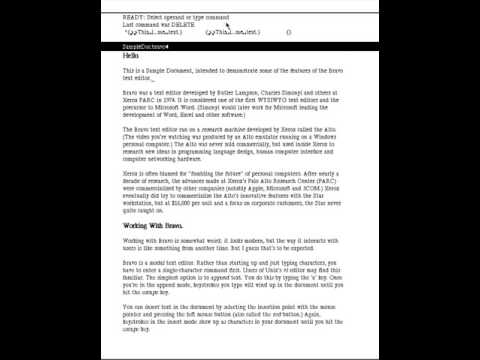
I went looking to see how the Bravo editor on the Xerox Alto worked. This video is super-fun.

Xerox Alto Bravo Demo
https://www.youtube.com/watch?v=390hhDkiJFM

Xerox Alto Bravo Demo

YouTube

@oantolin @screwlisp @northernlights @chiply @nosrednayduj

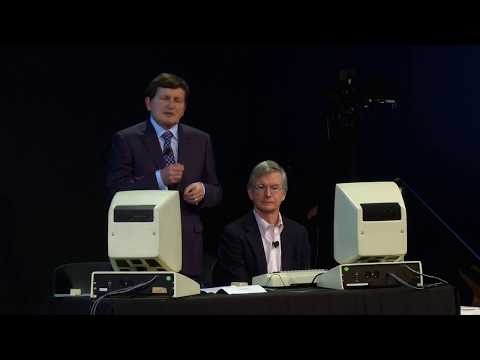
Omar, you'll probably like the example used in this other video, too. I left the time at the right place to see the person demonstrating's use of the "a" command.

https://youtu.be/q_Na1SJXSBg?t=461

Yesterday's Computer of Tomorrow: The Xerox Alto │Bravo Demo

YouTube

@kentpitman Wow, thanks, both of those videos were great! The editor looks so nice! Grabbing text from elsewhere in the document was really cool.

Being modal and having i to insert and ESC to leave insert mode, like vi, surprised me, though in retrospect, I shouldn't have been surprised at all.

@screwlisp @northernlights @chiply @nosrednayduj