 Damian Yerrick
 Eugene account has moved
Wrote a blogpost about simple (I mean with a shell and a text editor) #X11 configuration.
Covered topics:
1) #Trackball configuration for left hand. Also remapping of some buttons to have scrolling and middle button (not exists out of the box).
2) Theming: #GTK2 #GTK3 #QT , installing cursor(s), fonts and icons.
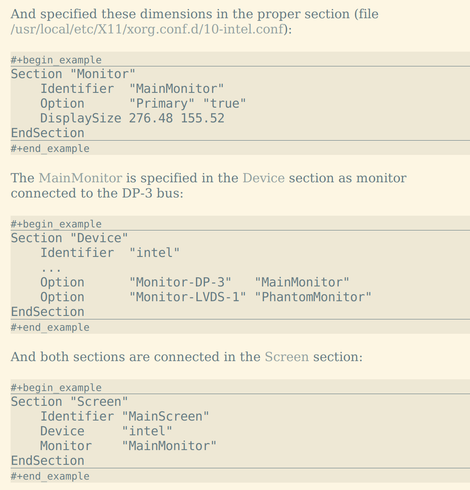
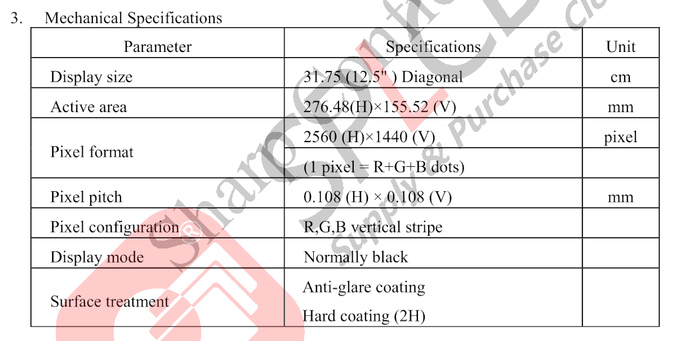
3) #Xrandr for multimonitor configuration
4) #Xserver settings for #HighDPI
5) #XDG utils and #Emacs as a system file manager
6) #XDM login window
https://eugene-andrienko.com/en/it/2025/07/24/x11-configuration-simple.html

How to configure X11 in a simple way
TOC Preamble High DPI Keyboard configuration Rewrite configuration for xorg.conf Mutlimedia keys Pointing devices Touchpad Trackpoint Trackball Mouse Drawing tablet Screensaver Disable screensaver for fullscreen videos Compositor (no, not that thing from Wayland) Changing size of usual windows Transparent splash screens Sliding dialog windows Effects for Emacs Librewolf: menu fix Effects for StumpWM parts Disabling unwanted outputs Juggling with displays Terminal Display manager (XDM) Xdg-utils Emacs Dired as a default file manager Emacs Compose as a default mail agent nSxiv as a default image viewer MPV as a default video/audio player Emacs as a default editor for some files Emacs PDF-tools as a default PDF viewer Beauty Changing the cursor theme GTK2 theme GTK3 theme GTK4 theme Qt theme Librewolf theme Fonts Icons Notes Preamble The modern common Linux and as a result also a UNIX desktop is heavily bloated. Even if you install not a full-scale DE like Gnome, but a small WM: i3wm, WindowMaker, XFCE, StumpWM, etc. These window managers are small itself, but when user installs a necessary GUI programs — then a lot of bloat will be installed too: gsettings-daemon, D-Bus daemon, polkitd, console-kit-daemon, etc, etc…


 Mike
Mike 
 Amadeus Paulussen
 Linux ✅

 Friedrich Hartmann

 Frost [moved]